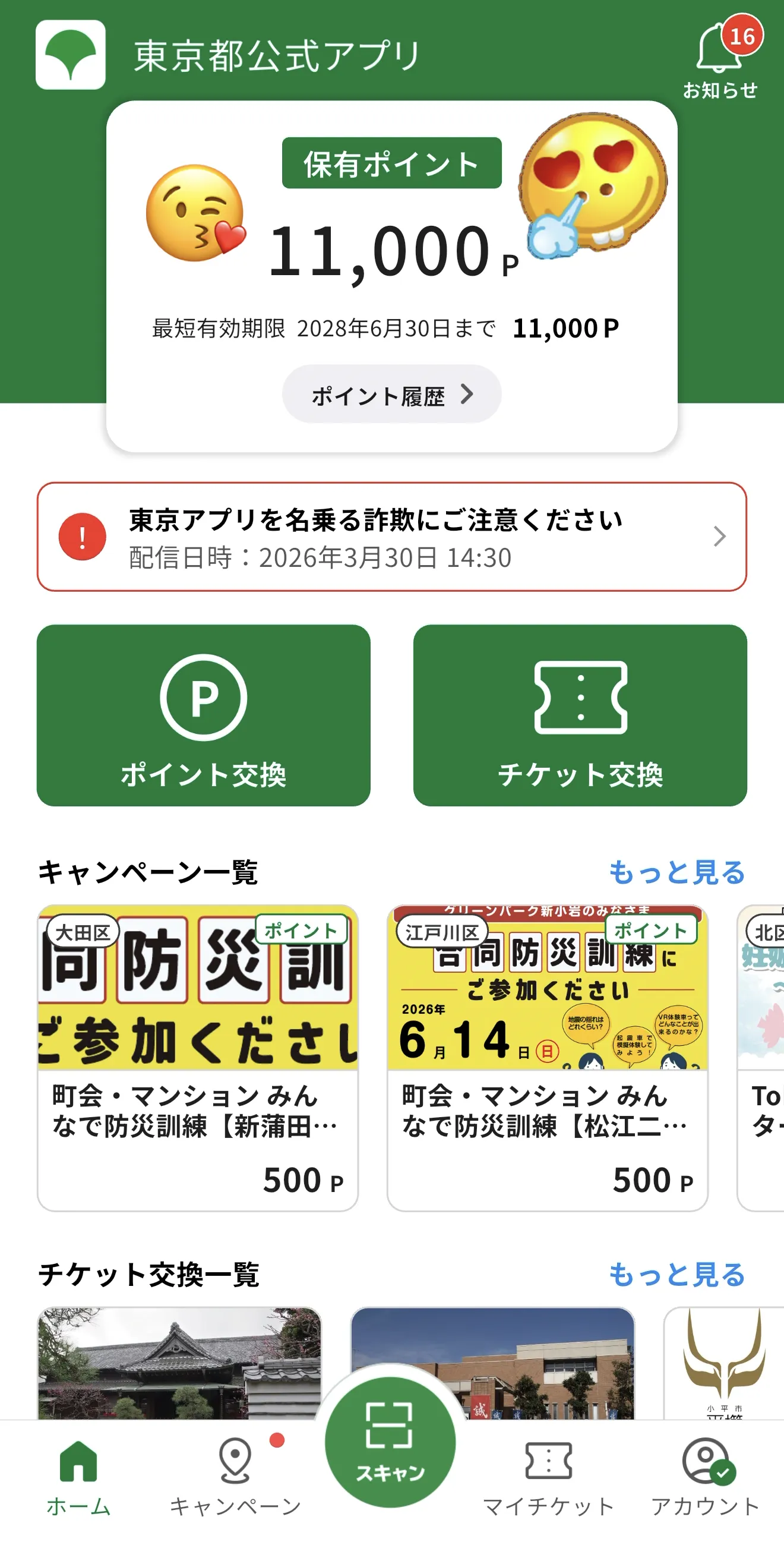
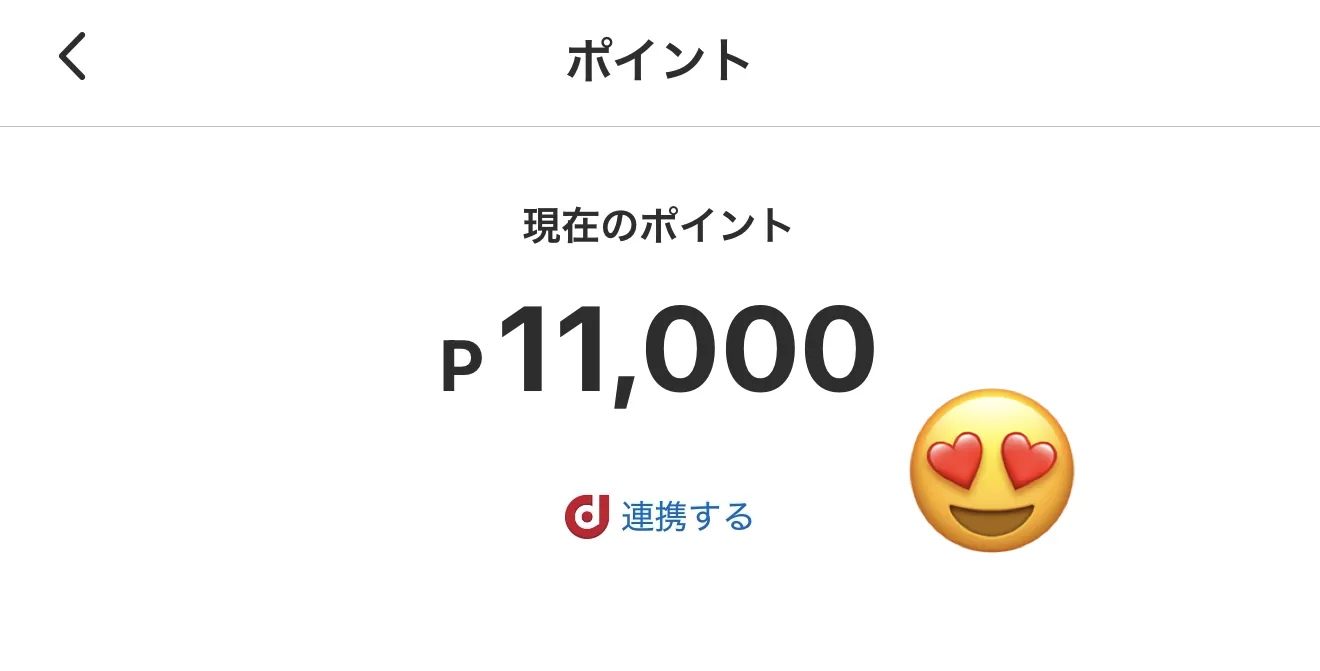
The Tokyo Metropolitan Government is currently running a campaign offering up to $70 (11,000 yen) worth of points to residents who register through the official "Tokyo App" (東京都公式アプリ). These points can be exchanged for various cashless payment services such as au PAY, dPoint, Rakuten Pay, and more, making them perfect for your daily shopping.
If you are living in Tokyo, this is a financial support opportunity you shouldn't miss. This article provides a comprehensive, step-by-step guide—complete with screenshots—covering everything from downloading the app to completing your registration and using your points.
Tokyo App Points Campaign: Quick Summary
Eligibility: Residents of Tokyo aged 15 or older at the time of registration.
Reward Amount: Up to 11,000 points ($70/11,000 yen).
How to Use: Convert points into various third-party cashless payment services.
Campaign Period: From February 2, 2026, to April 1, 2027.
Point Expiration: 2 years from the date of receipt.
Mandatory Requirement: A My Number Card (マイナンバーカード).
Since this program is operated directly by the Tokyo Metropolitan Government, it is highly reliable. Please note: you must have your My Number Card to complete the identity verification process.
5 Steps to Claim Your $70 (11,000 yen) from Tokyo App
The entire process consists of 5 main steps:
Download the Tokyo App and register an account.
Download and register the Digital Authentication App.
Verify your identity in the Tokyo App using your My Number Card.
Apply for Tokyo Points.
Exchange your points for the payment service of your choice.
The whole process takes about 10–15 minutes. Have your My Number Card ready and make sure you remember your PIN codes before you start.
Step 1: Download Tokyo App and Register an Account
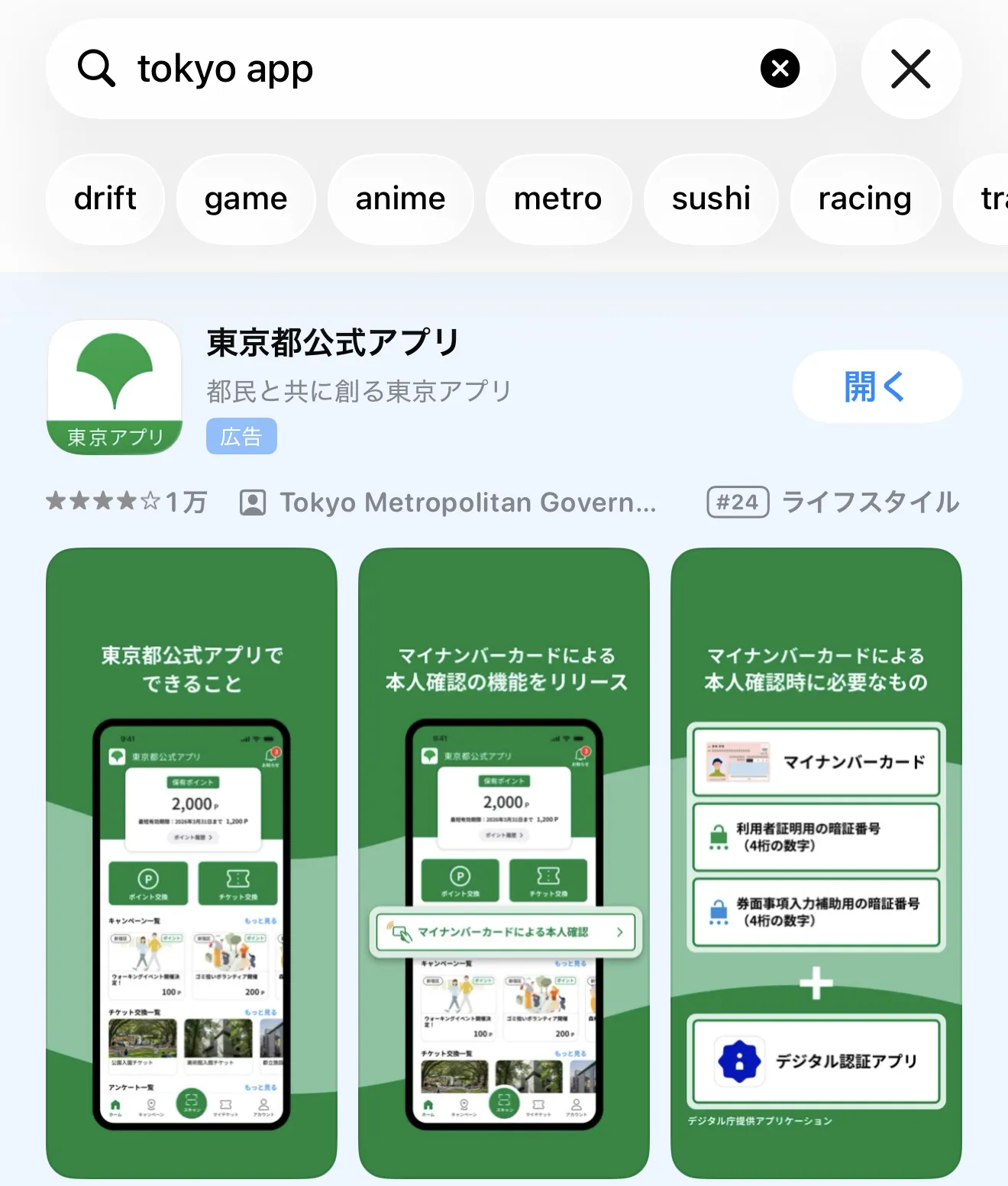
Download the Tokyo App (東京都公式アプリ) from the App Store (iPhone) or Google Play (Android). You can search for "Tokyo App".
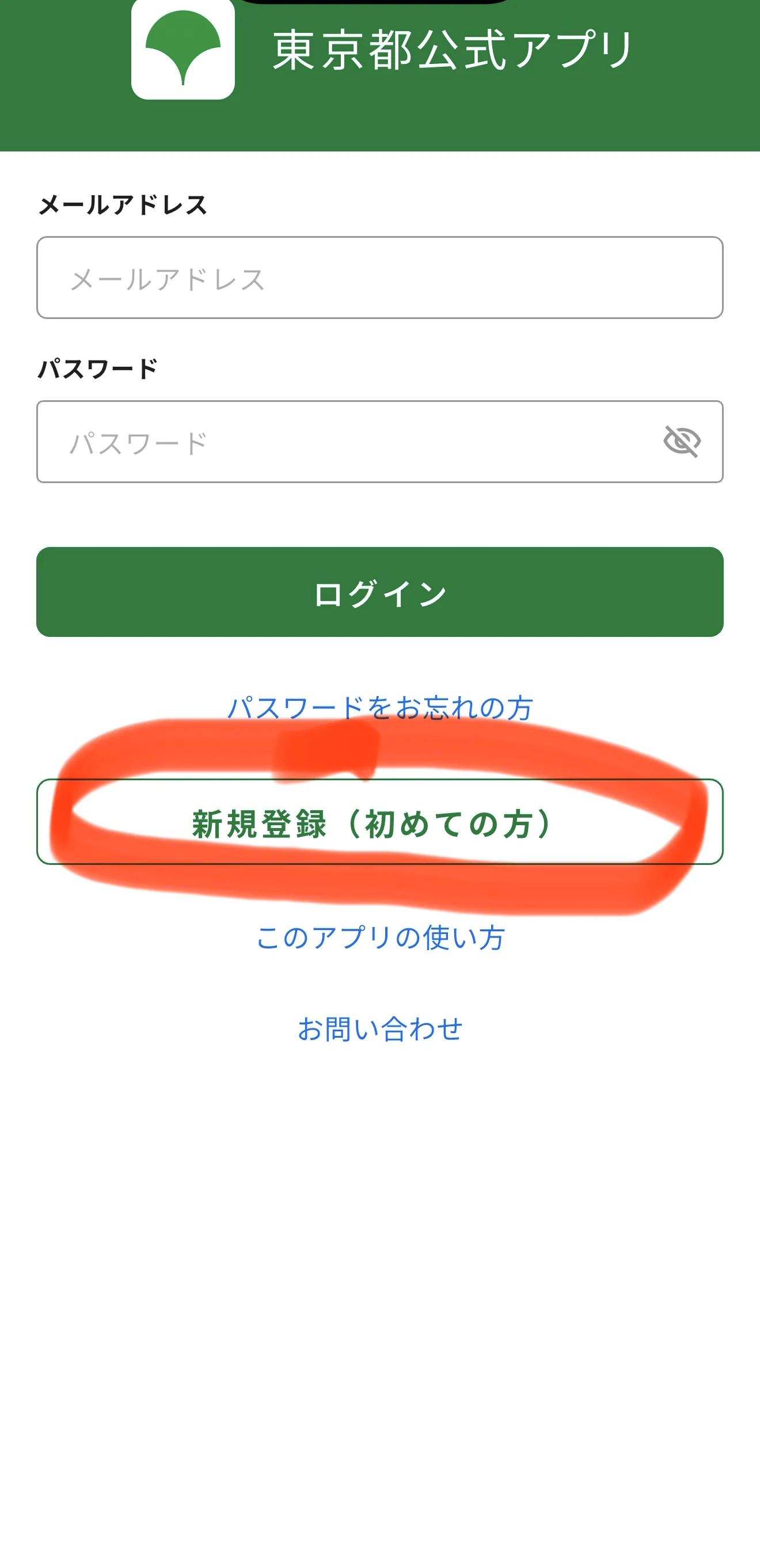
Once you open the app:
Select "New Registration" (新規登録/初めての方).
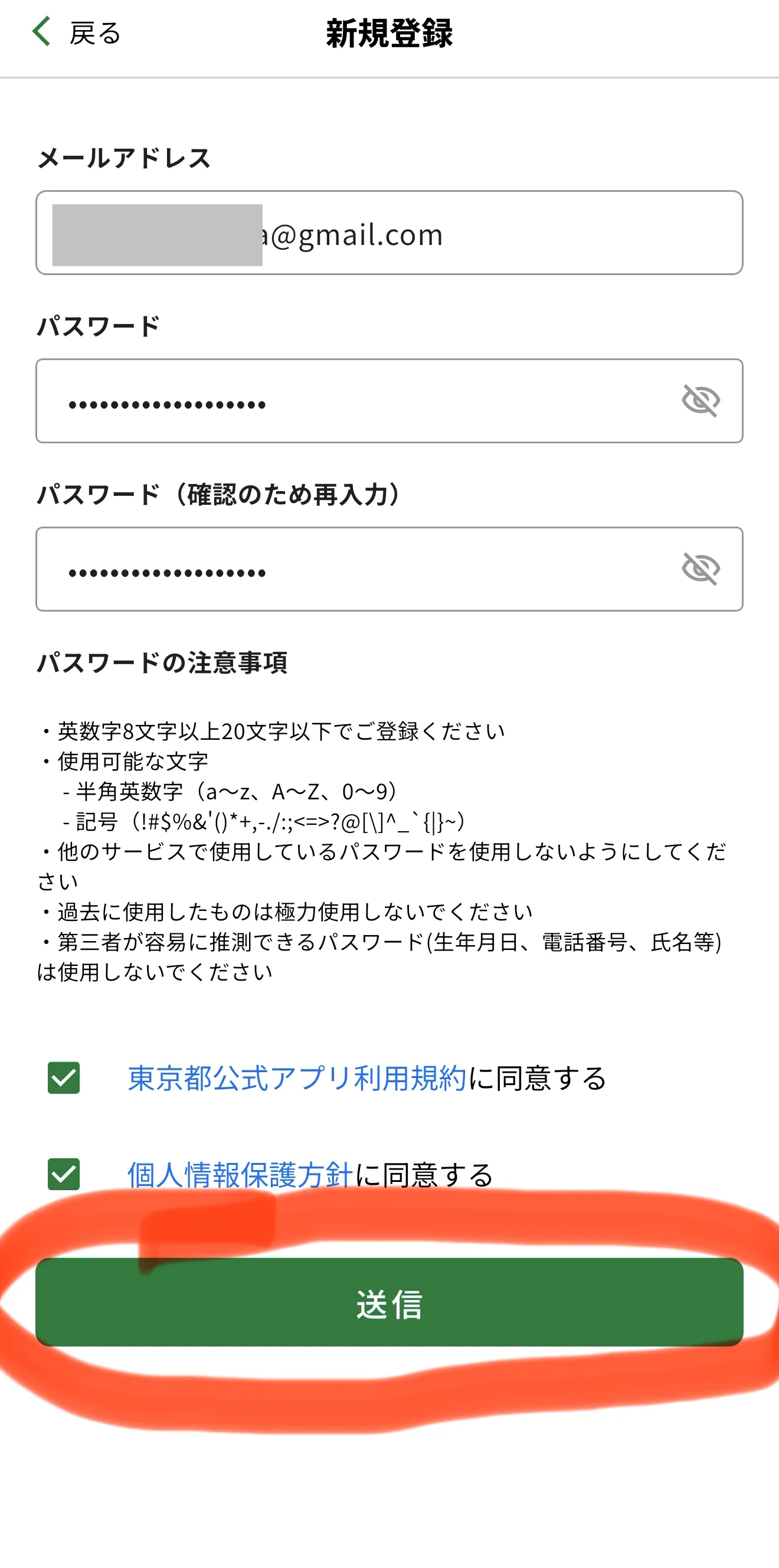
Enter your email address and password, check the box to agree to the terms of use and privacy policy, and submit.
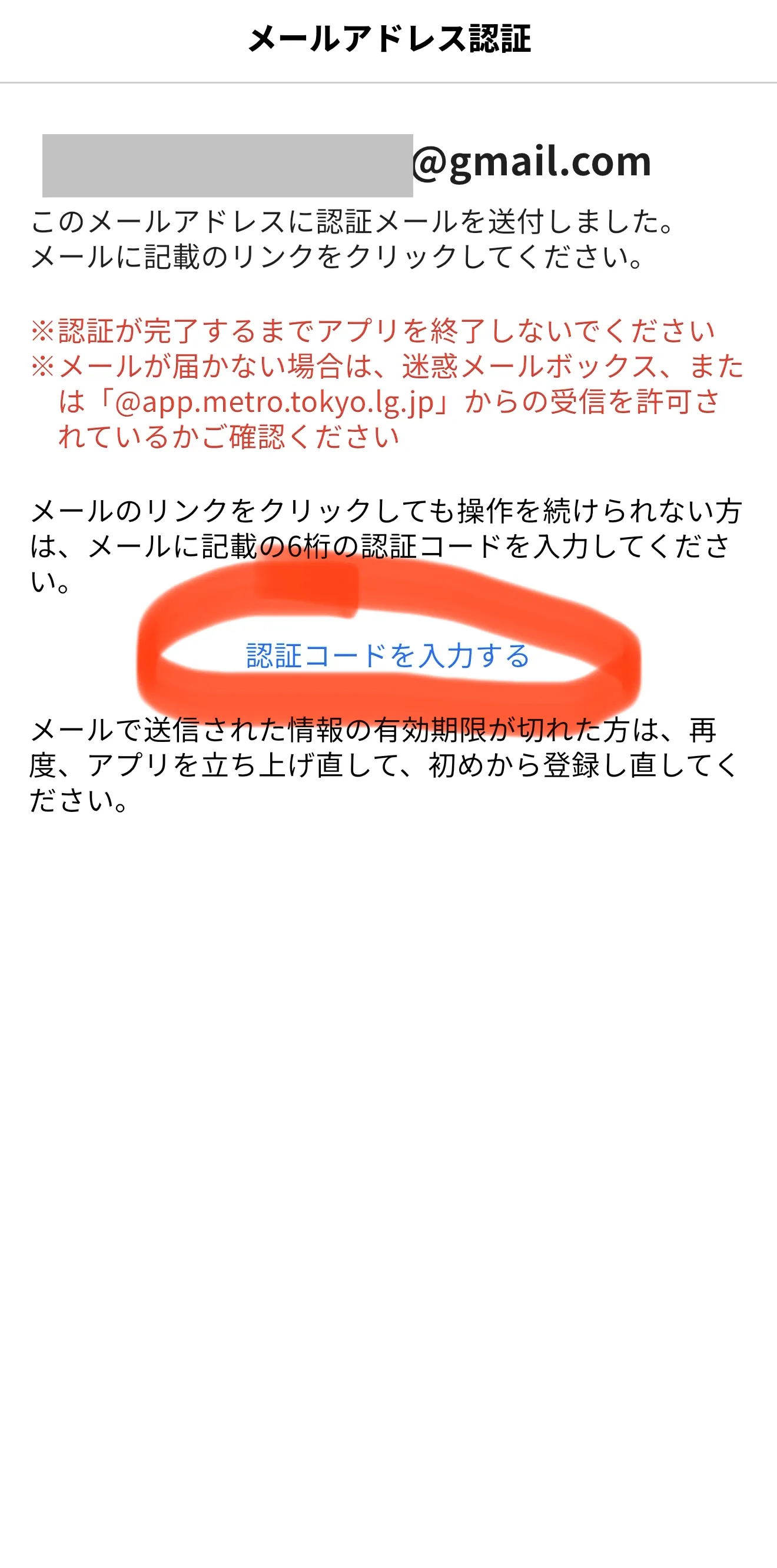
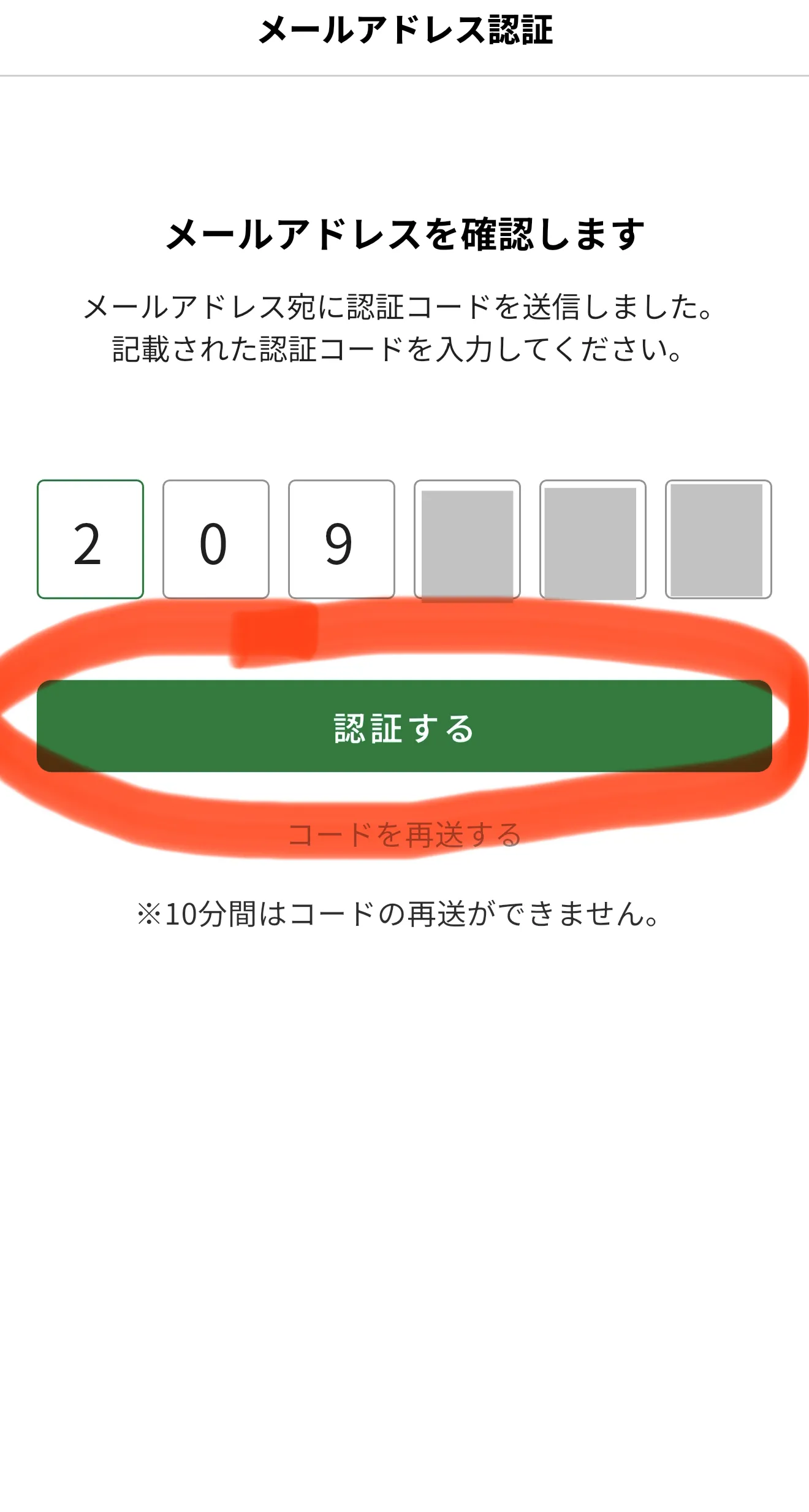
Check your email inbox for a message titled "Authentication URL Link Guide" (認証用URLリンクのご案内). Copy the 6-digit authentication code and paste it into the app.
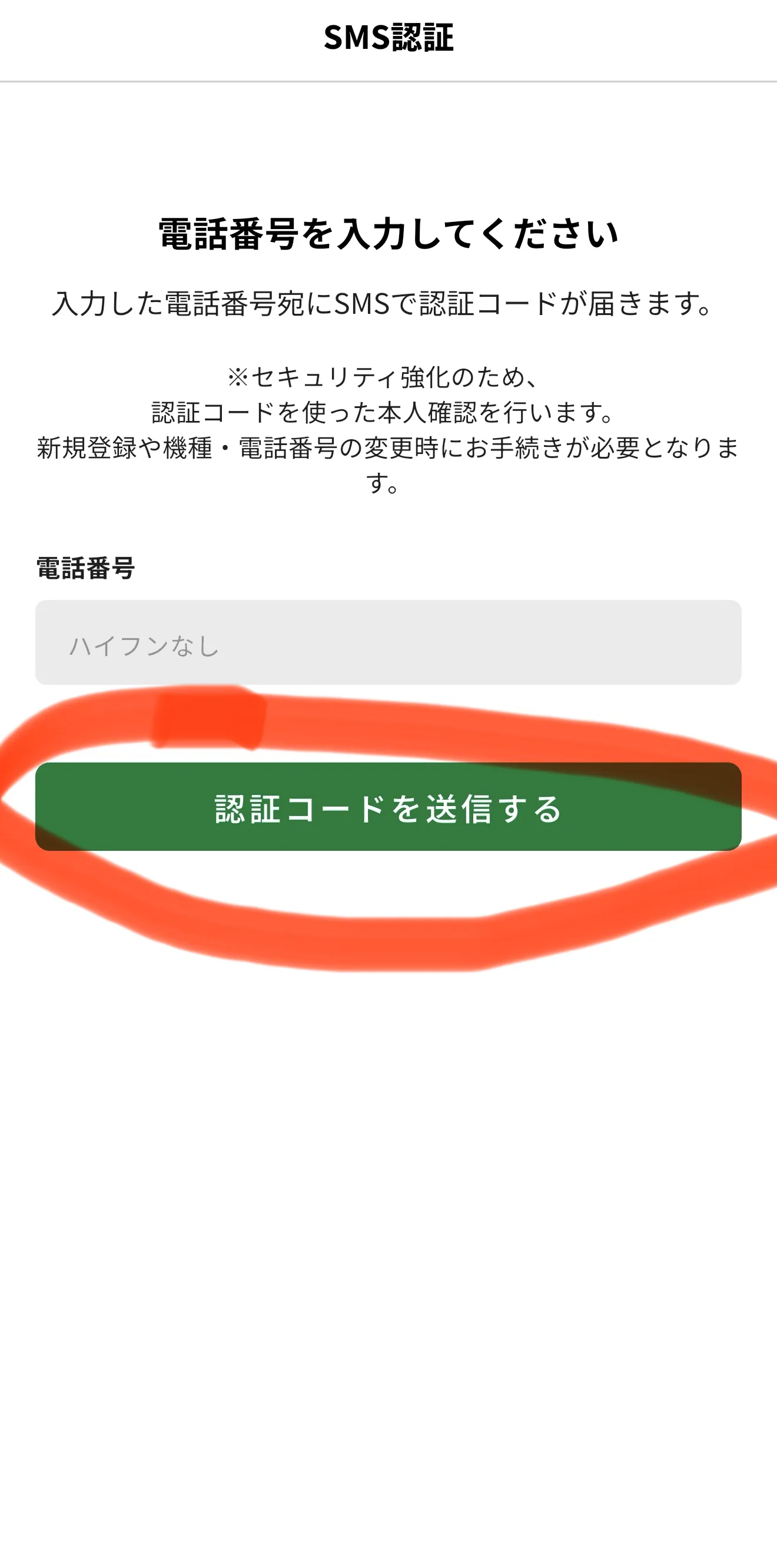
The screen will then move to SMS authentication: enter your phone number and tap "Send Authentication Code" (認証コードを送信する).
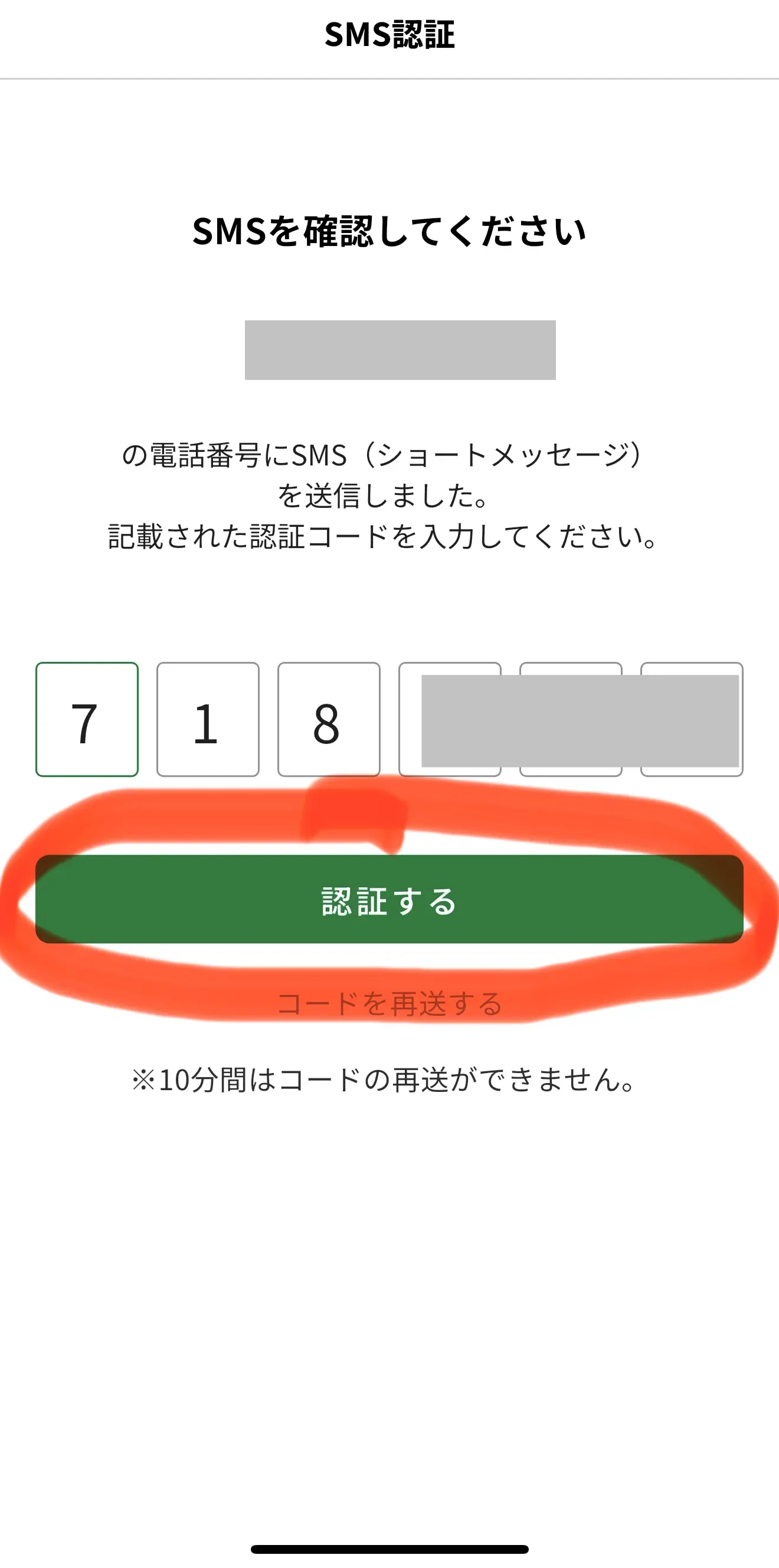
Enter the 6-digit code you received via SMS and tap "Authenticate" (認証する).
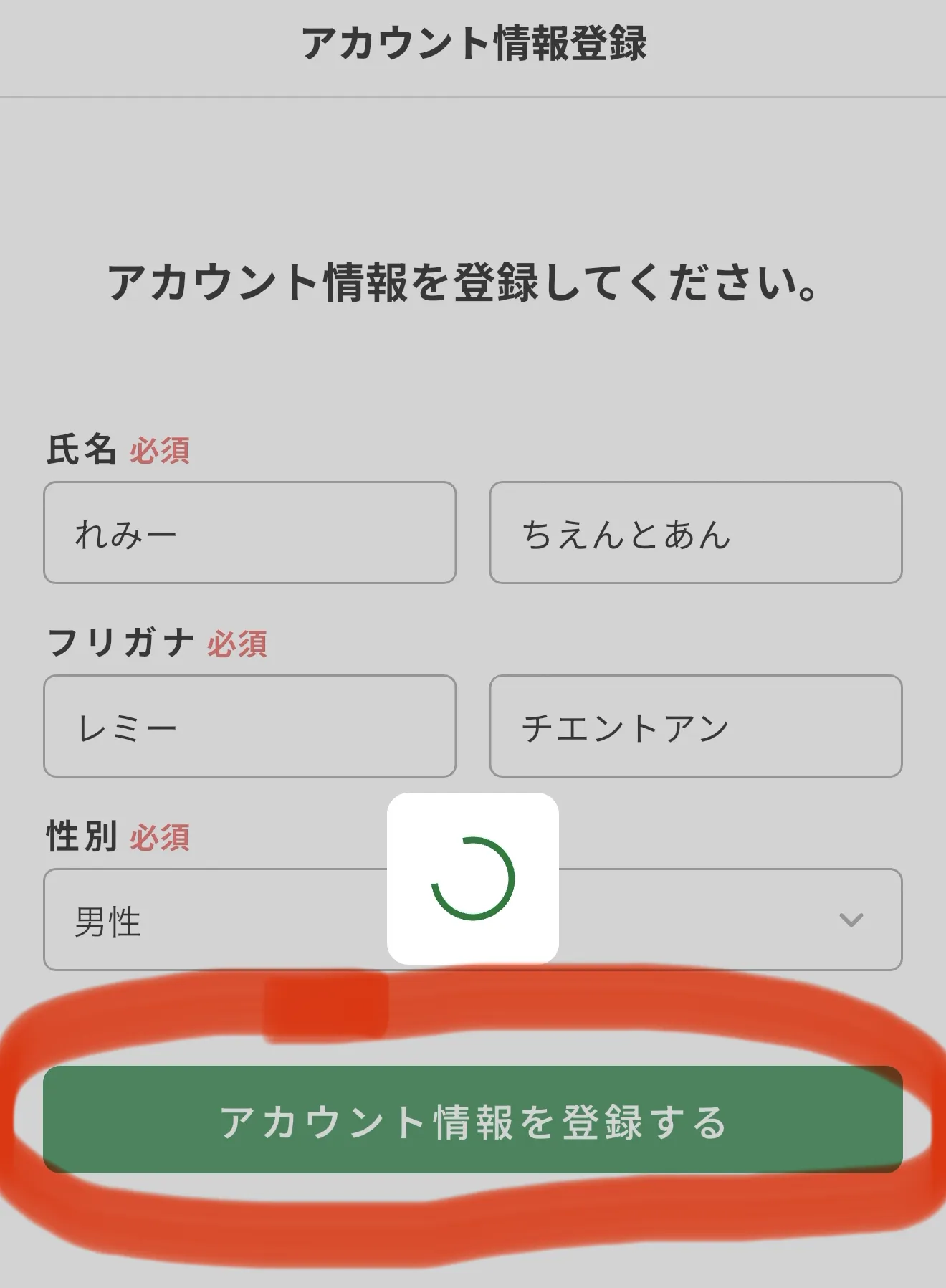
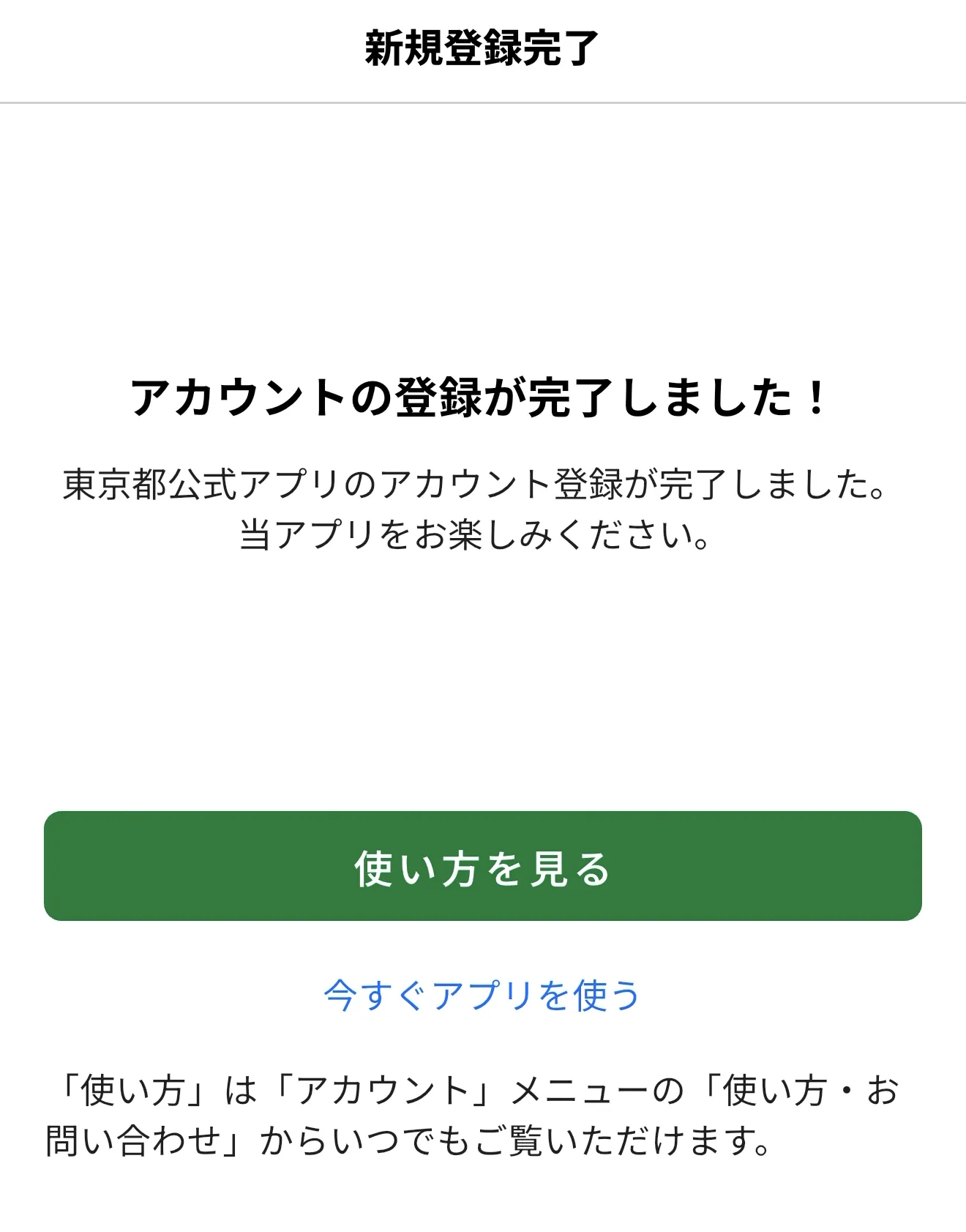
Finally, enter your name, phonetic name (furigana), and gender, then tap "Register Account Information" (アカウント情報を登録する).
You have now successfully registered your Tokyo App account.
Step 2: Download and Register the Digital Authentication App
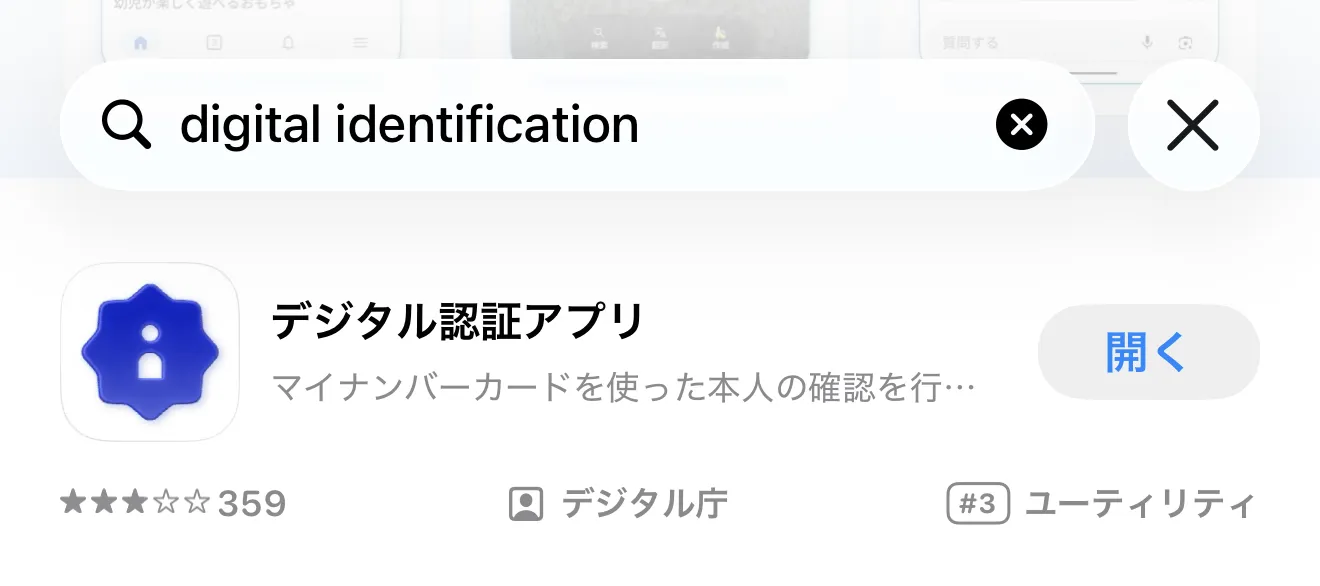
Next, you need to use the "Digital Authentication App" (デジタル認証アプリ) provided by Japan’s Digital Agency. Download it from the App Store or Google Play. You can find it by searching for "digital identification".
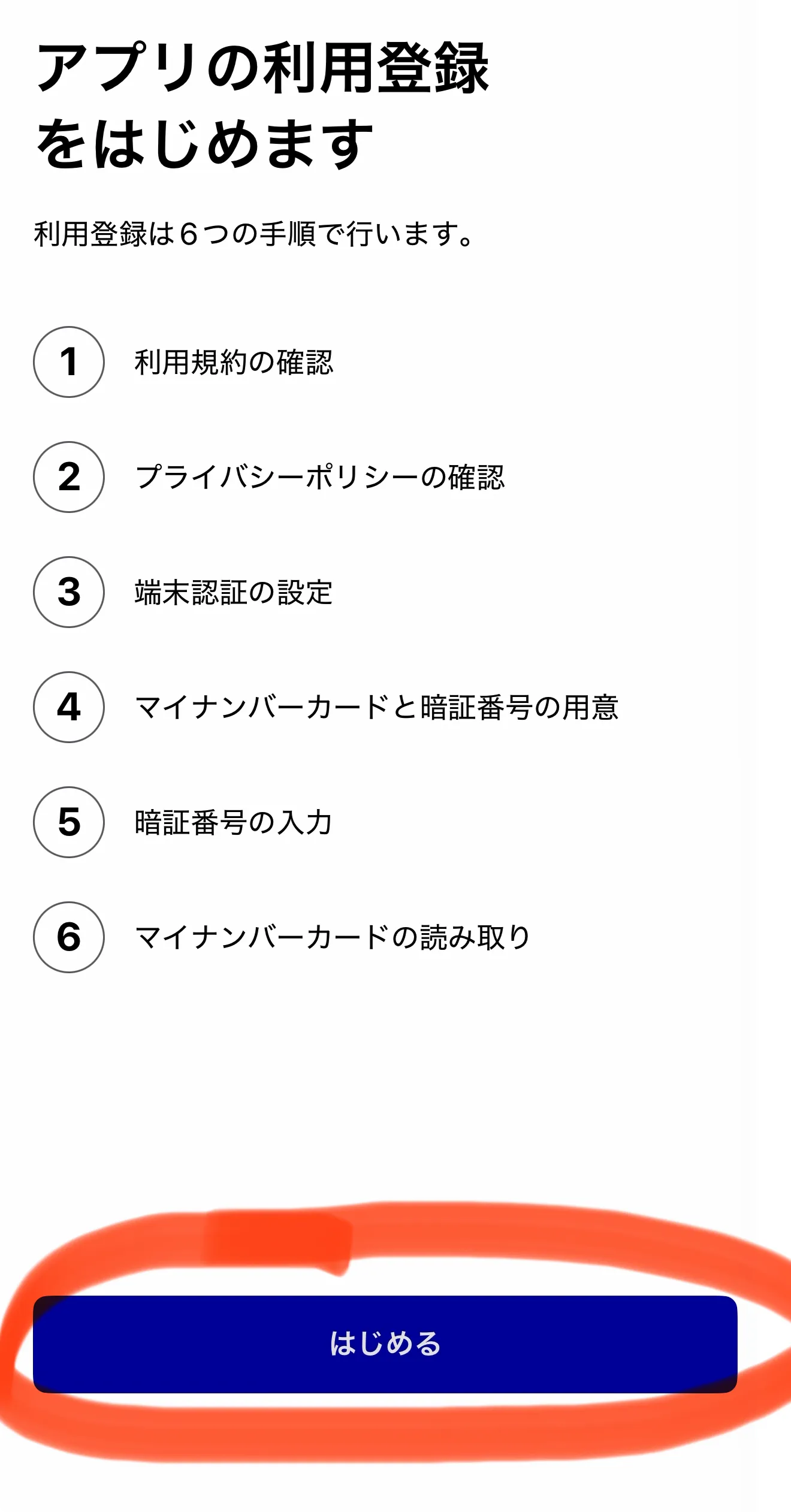
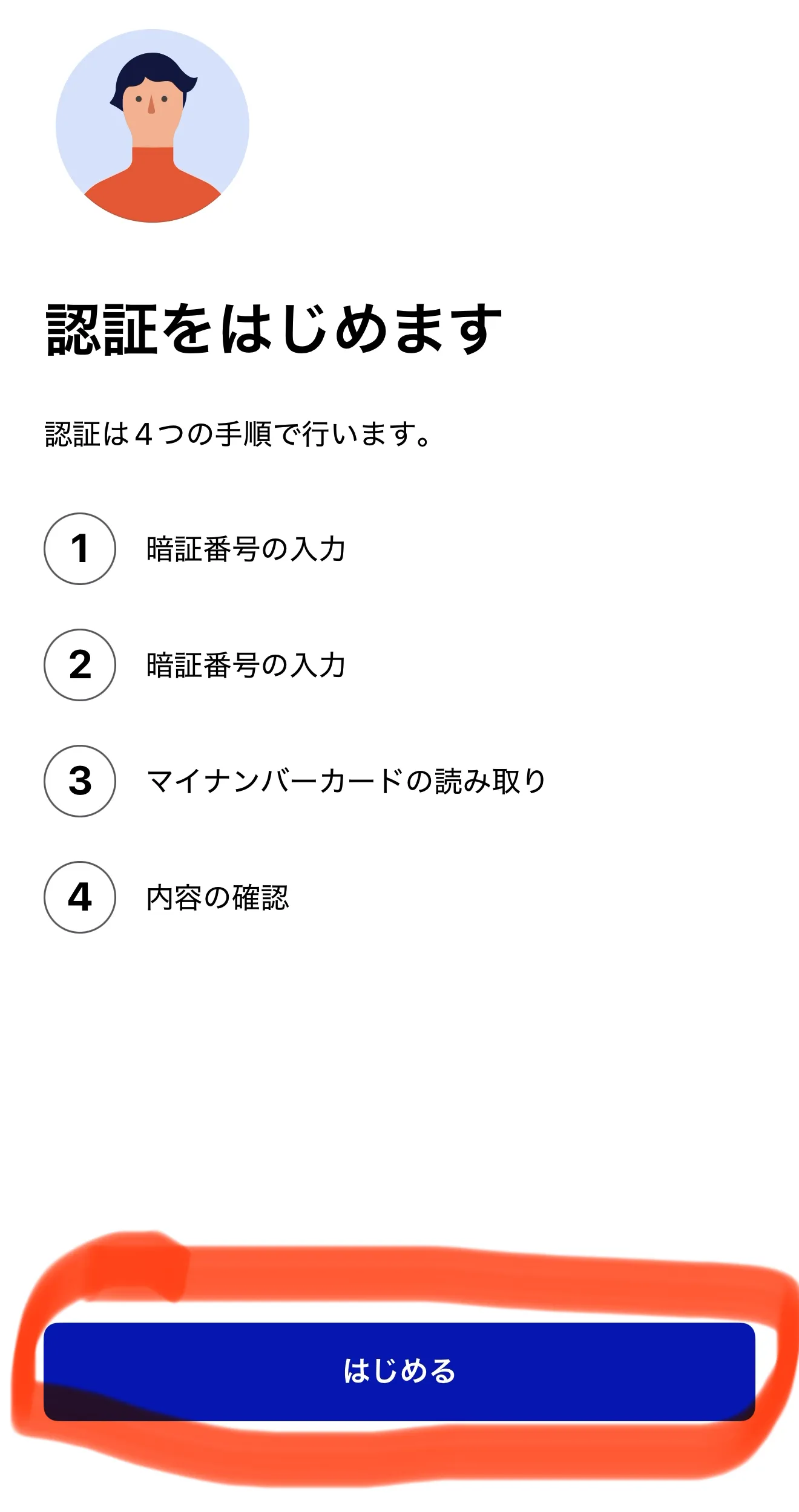
Open the app and tap "Next" (次へ) → "Get Started" (はじめる).
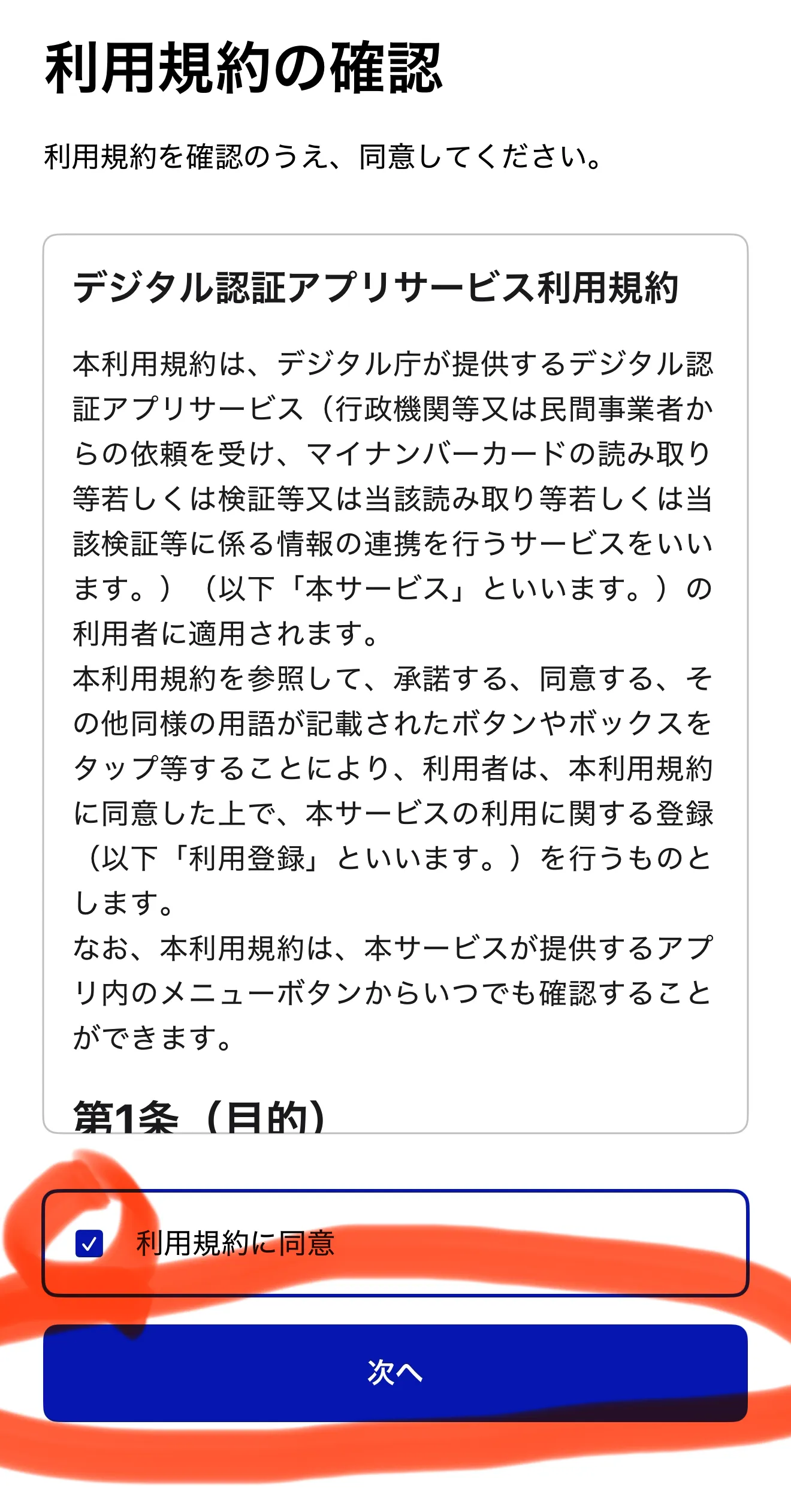
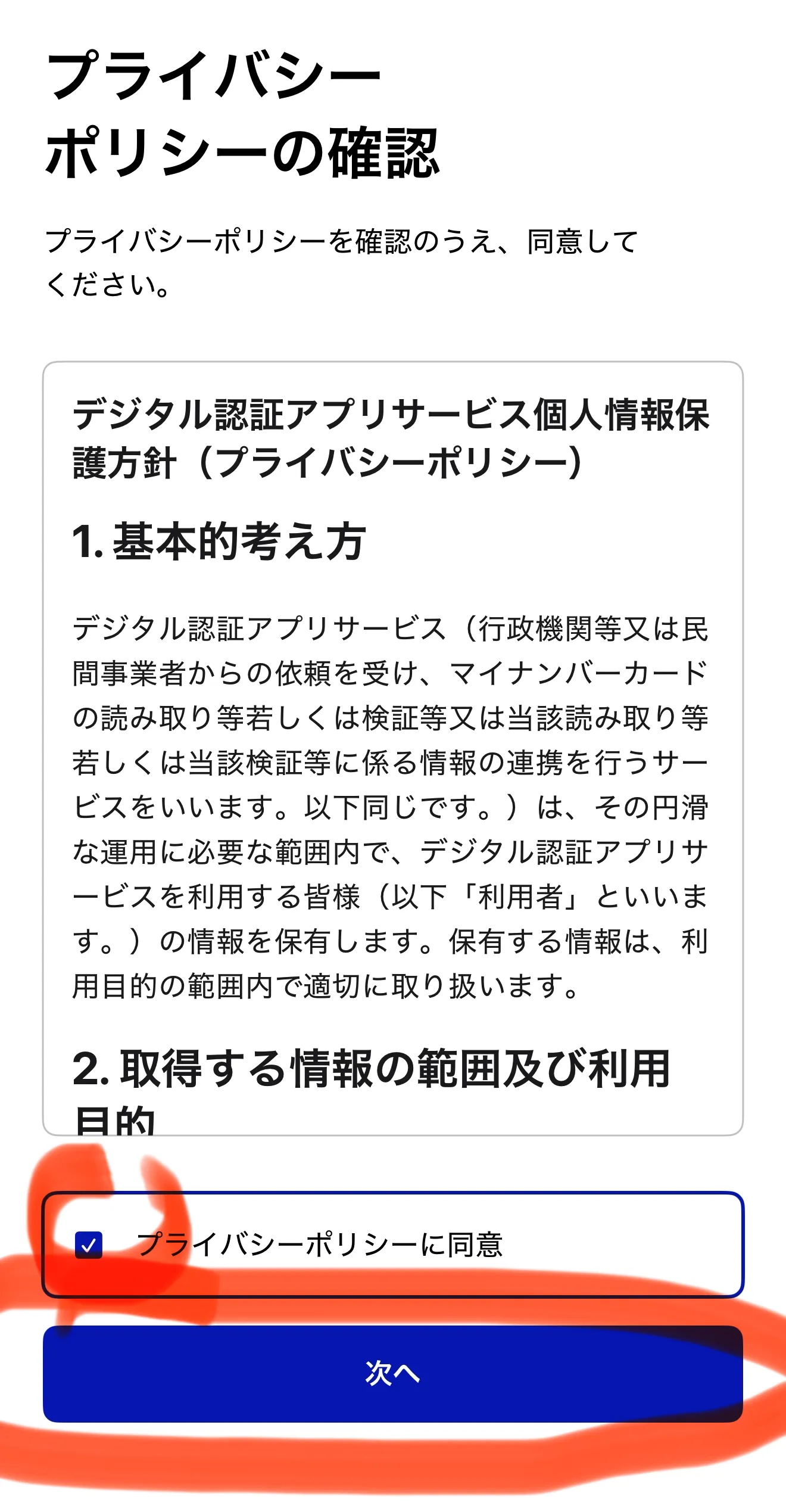
Read and agree to the terms and privacy policy, then tap "Next".
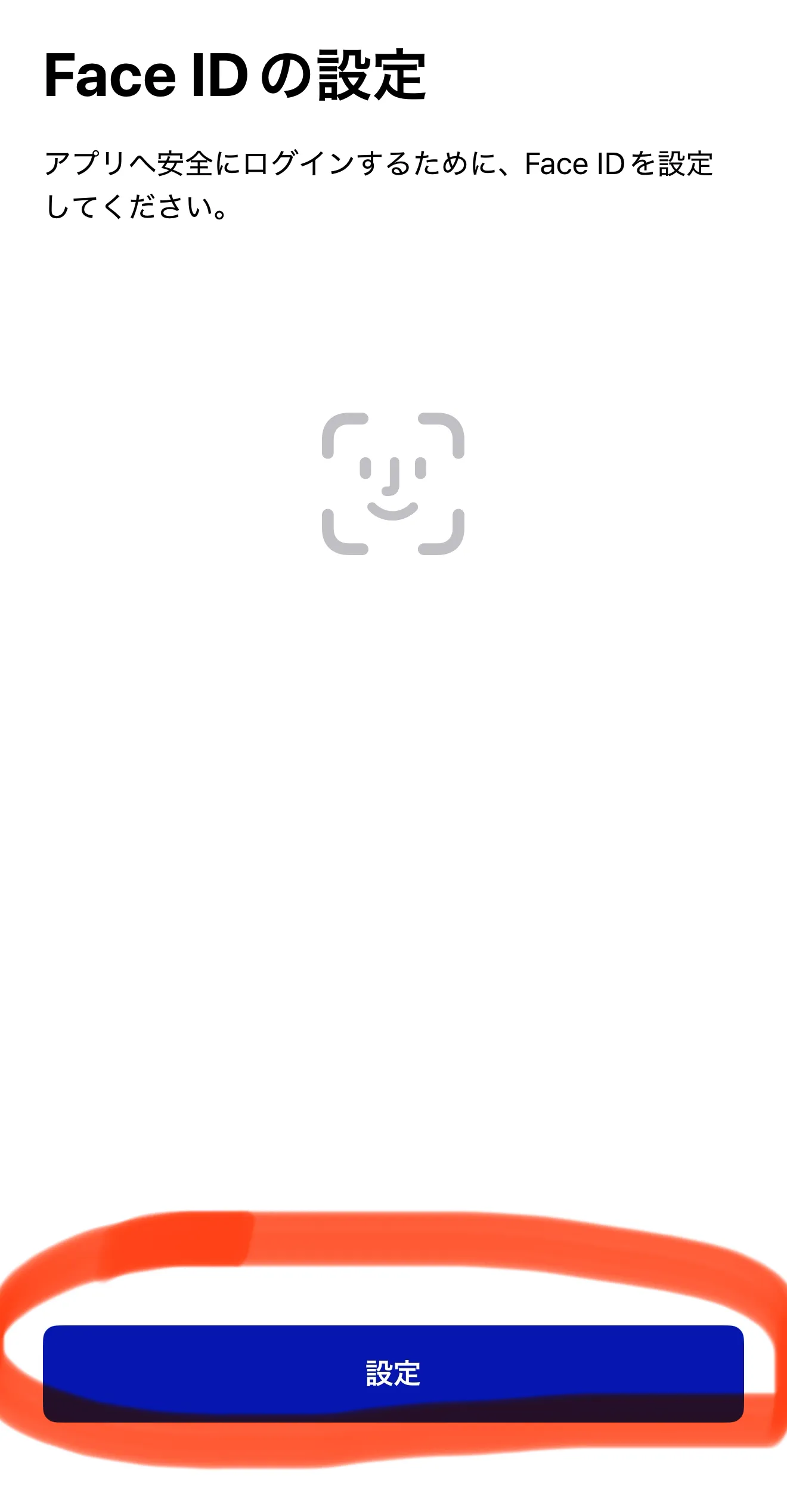
Set up biometric authentication (Face ID on iPhone) as prompted.
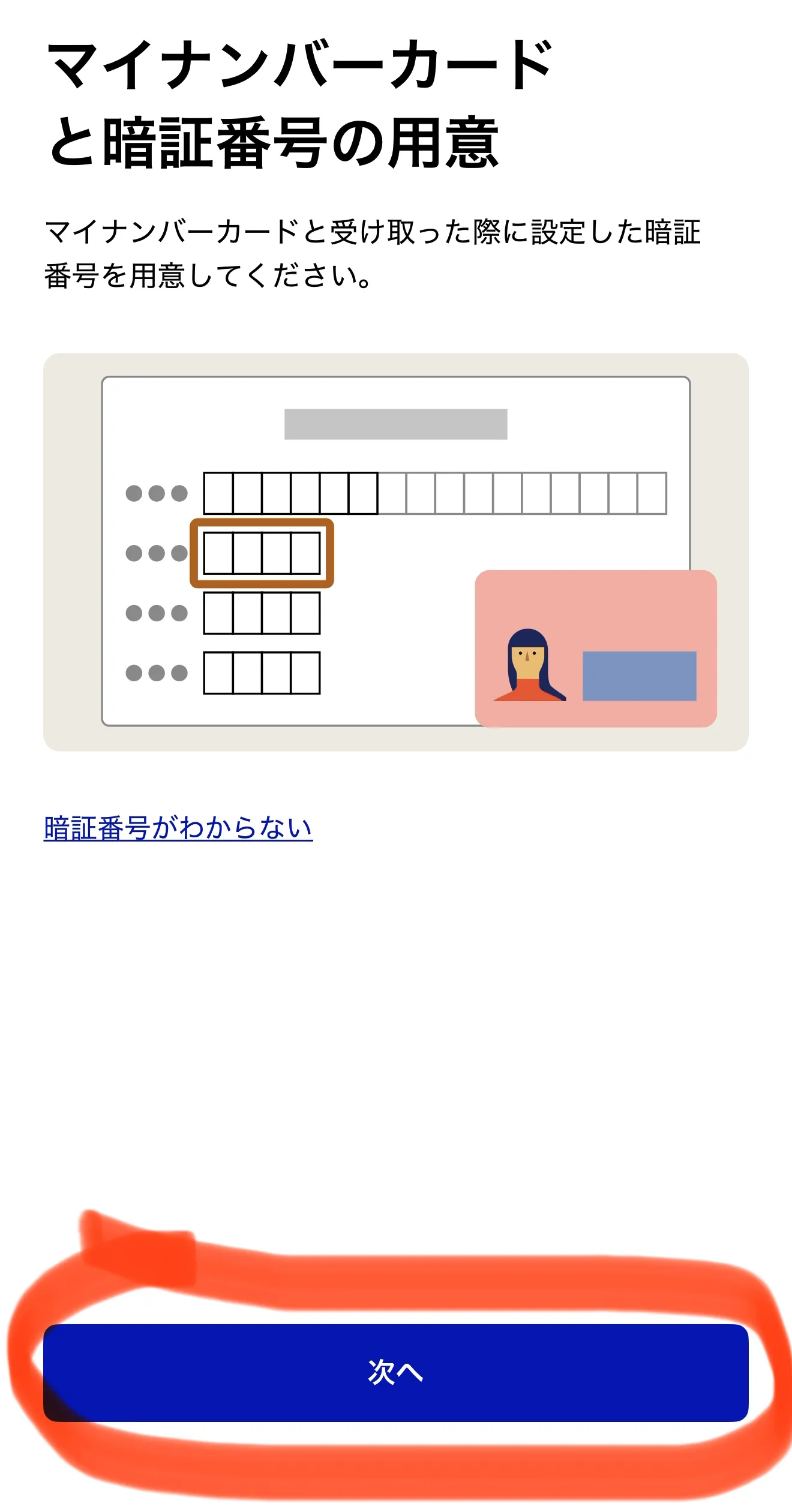
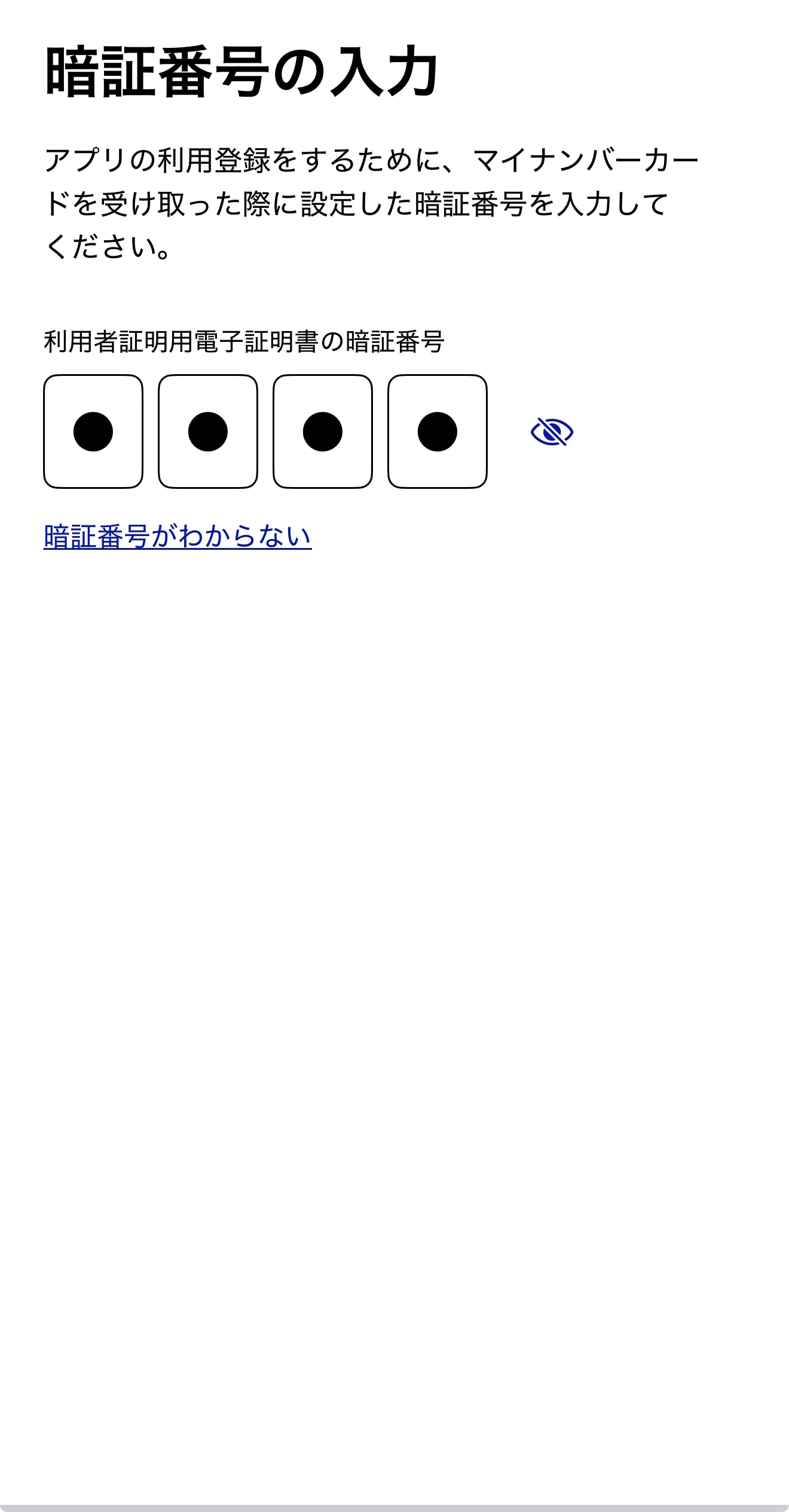
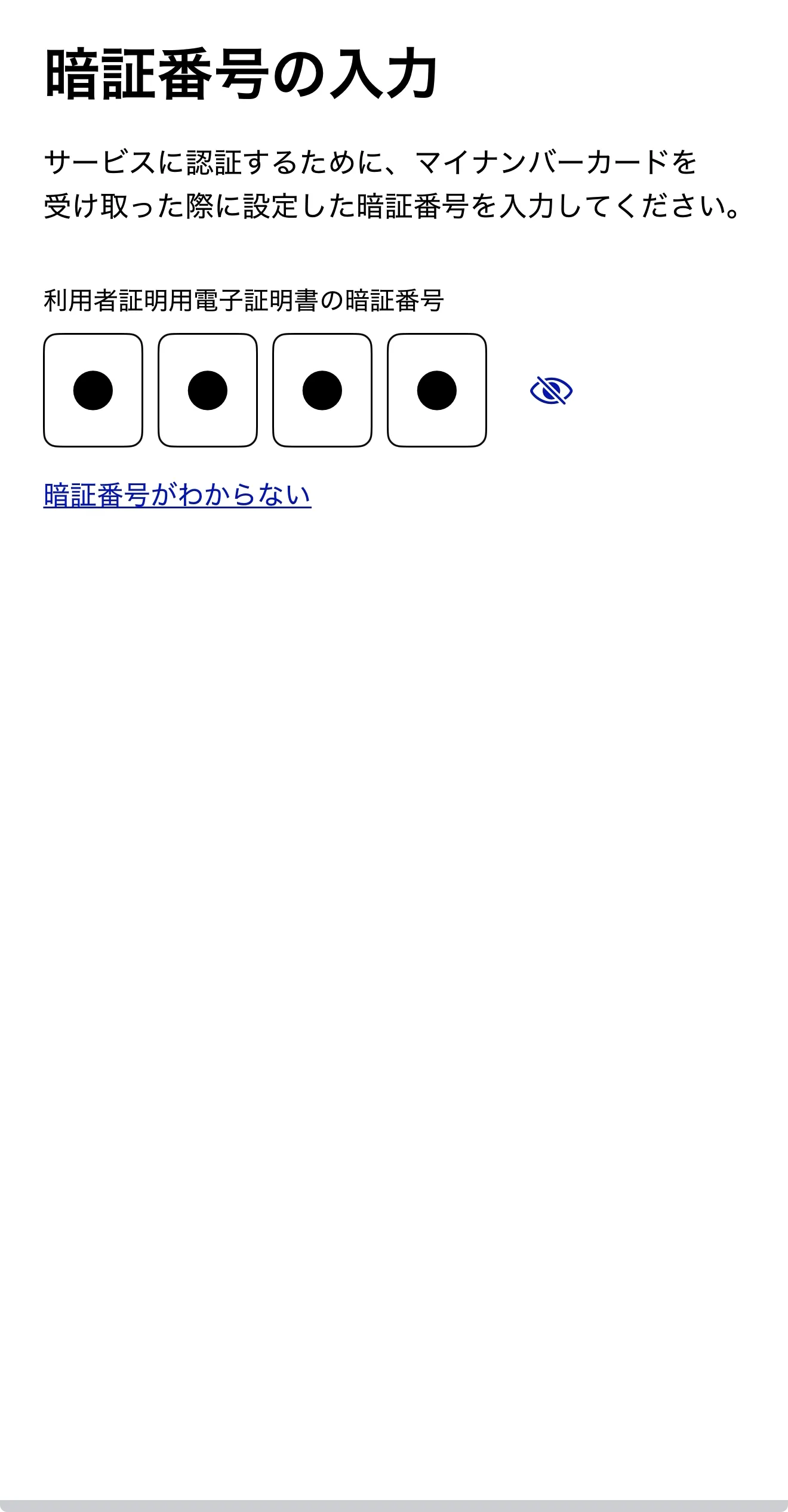
On the screen asking for your My Number Card and PIN, tap "Next", then enter the 4-digit PIN for your My Number Card.
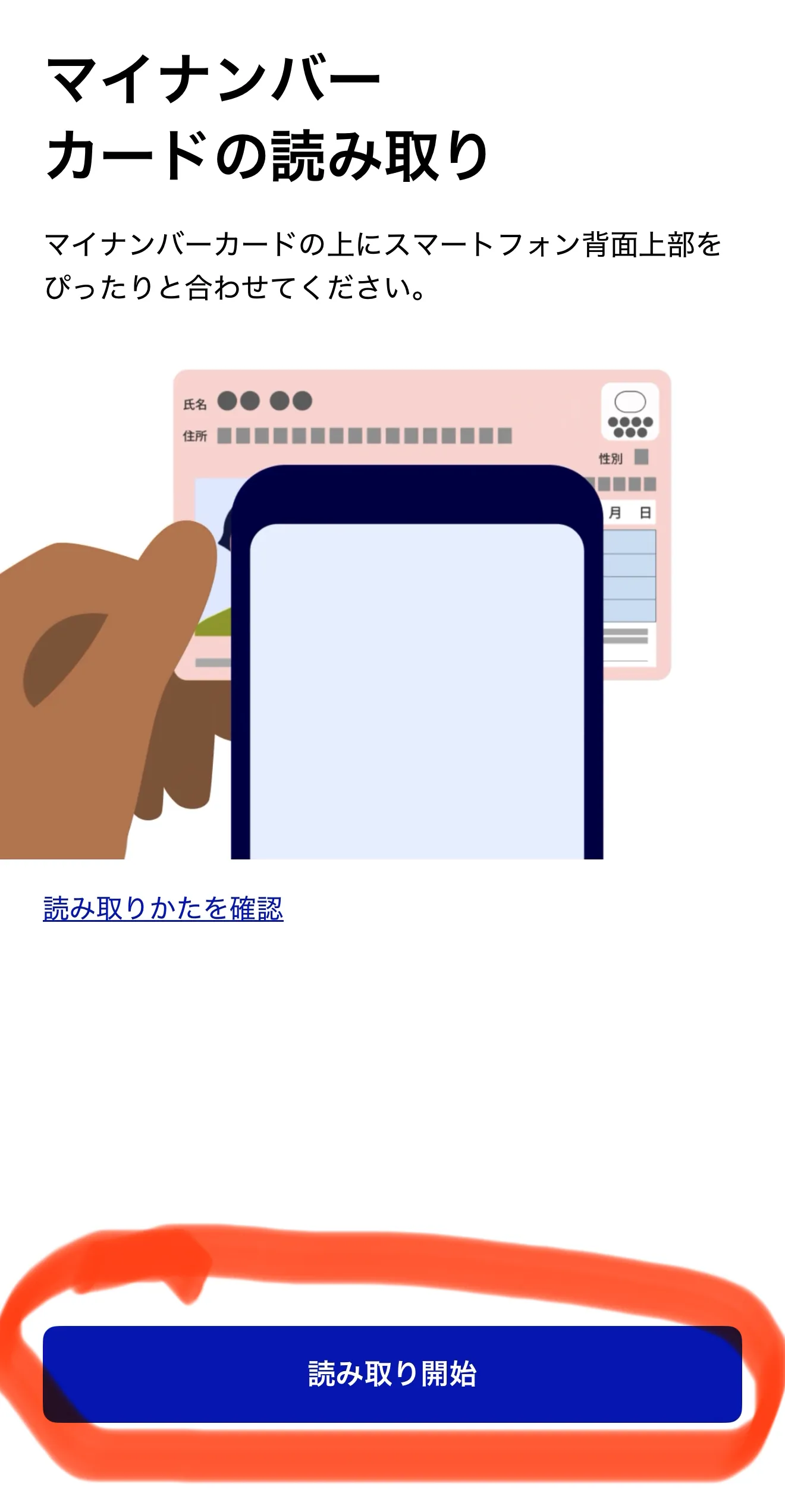
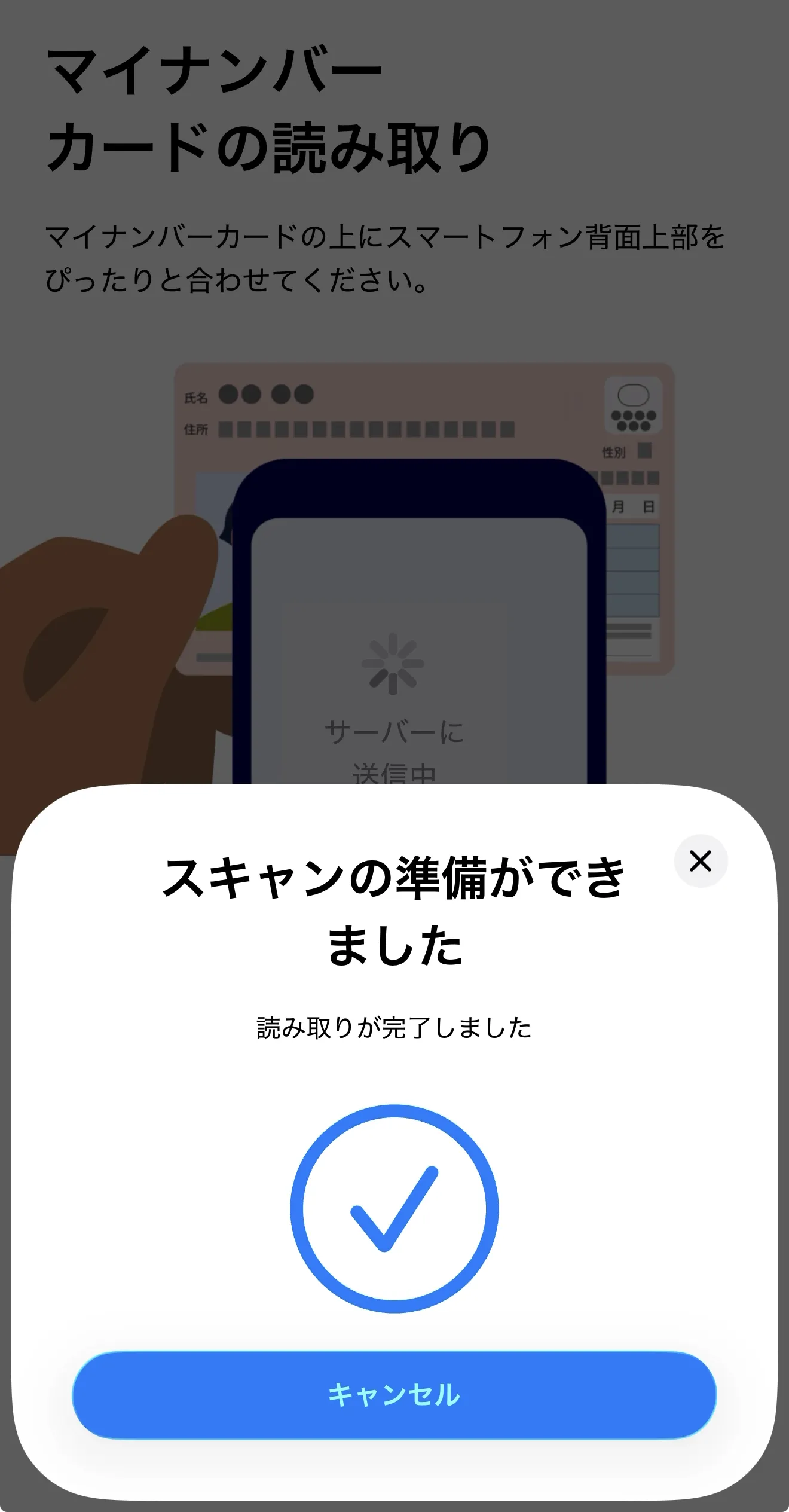
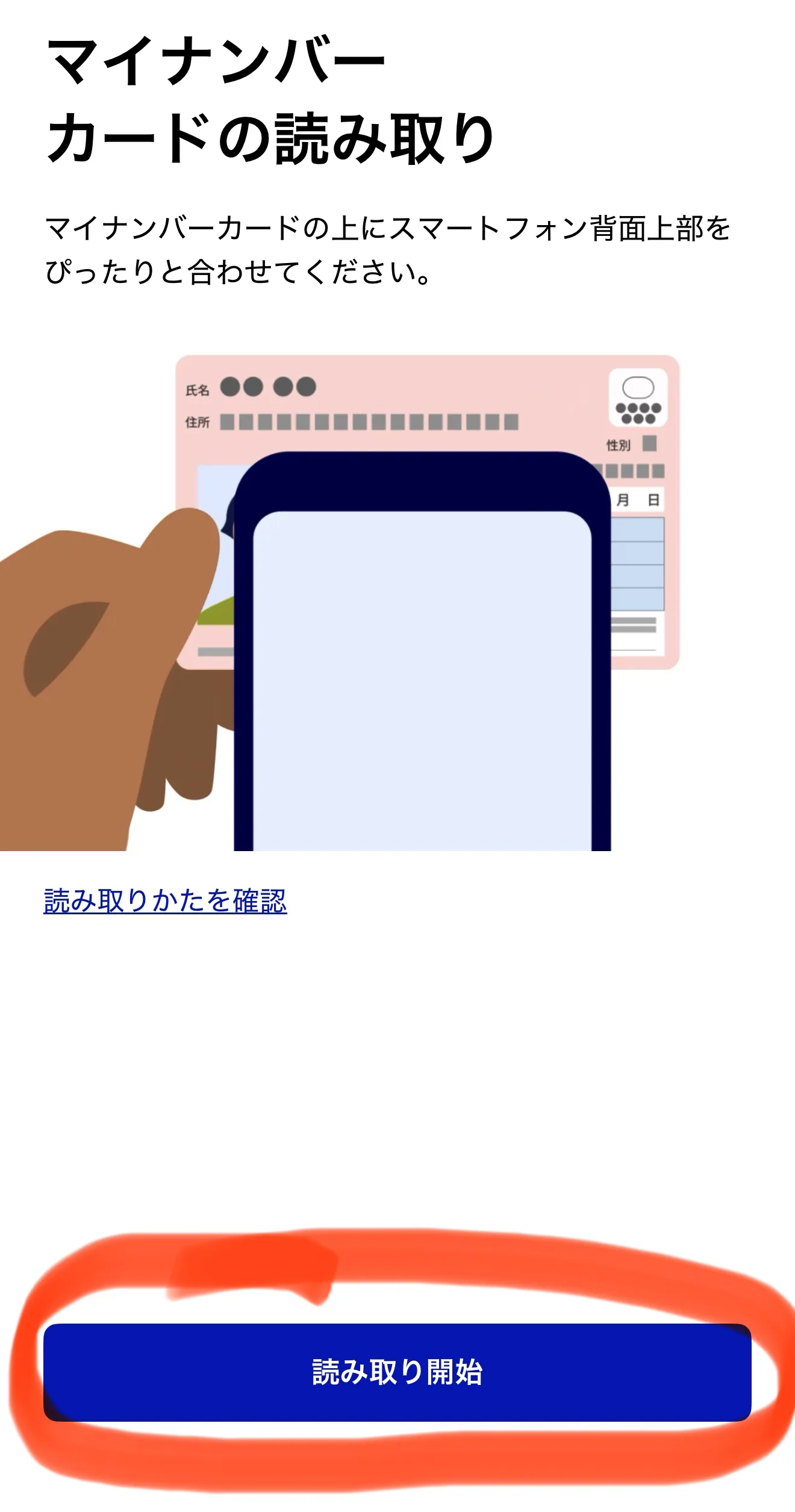
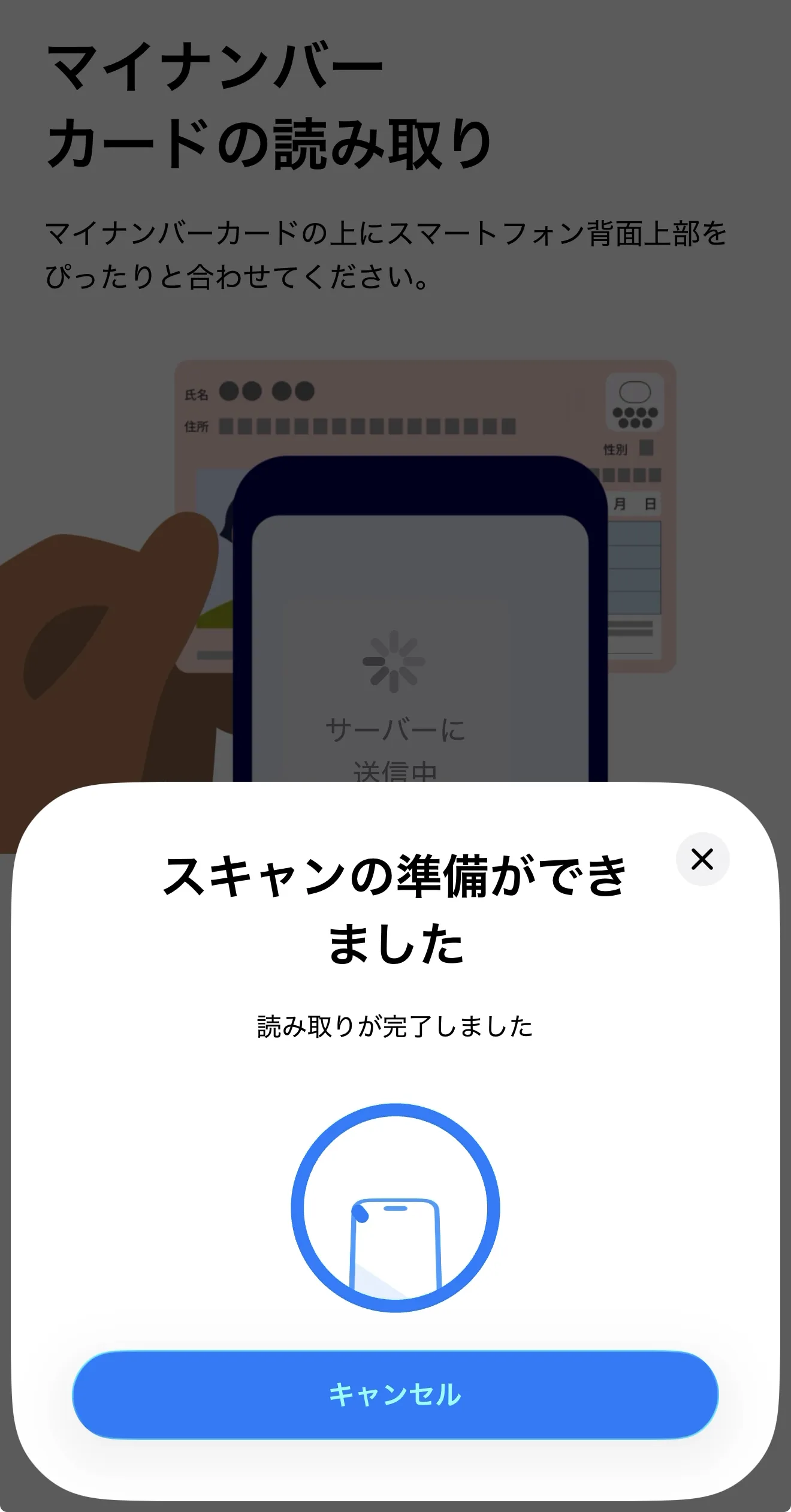
Tap "Start Reading Card" (読み取り開始) and hold the back of your phone against your My Number Card to scan it.
When the "App Registration Complete" screen appears, tap "Close" (閉じる).
Step 3: Verify Your Identity in Tokyo App with My Number Card
Now, return to the Tokyo App to verify your identity:
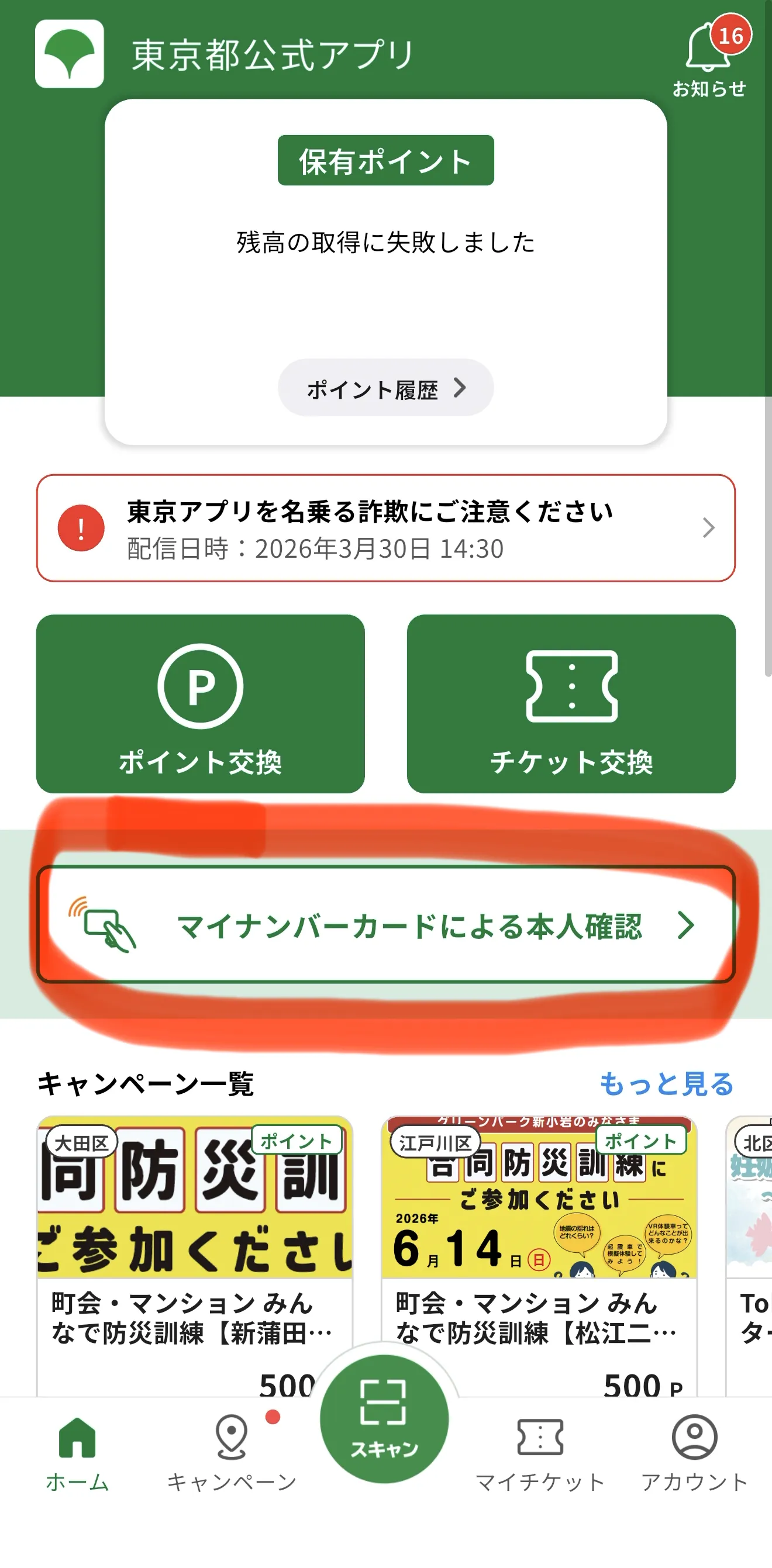
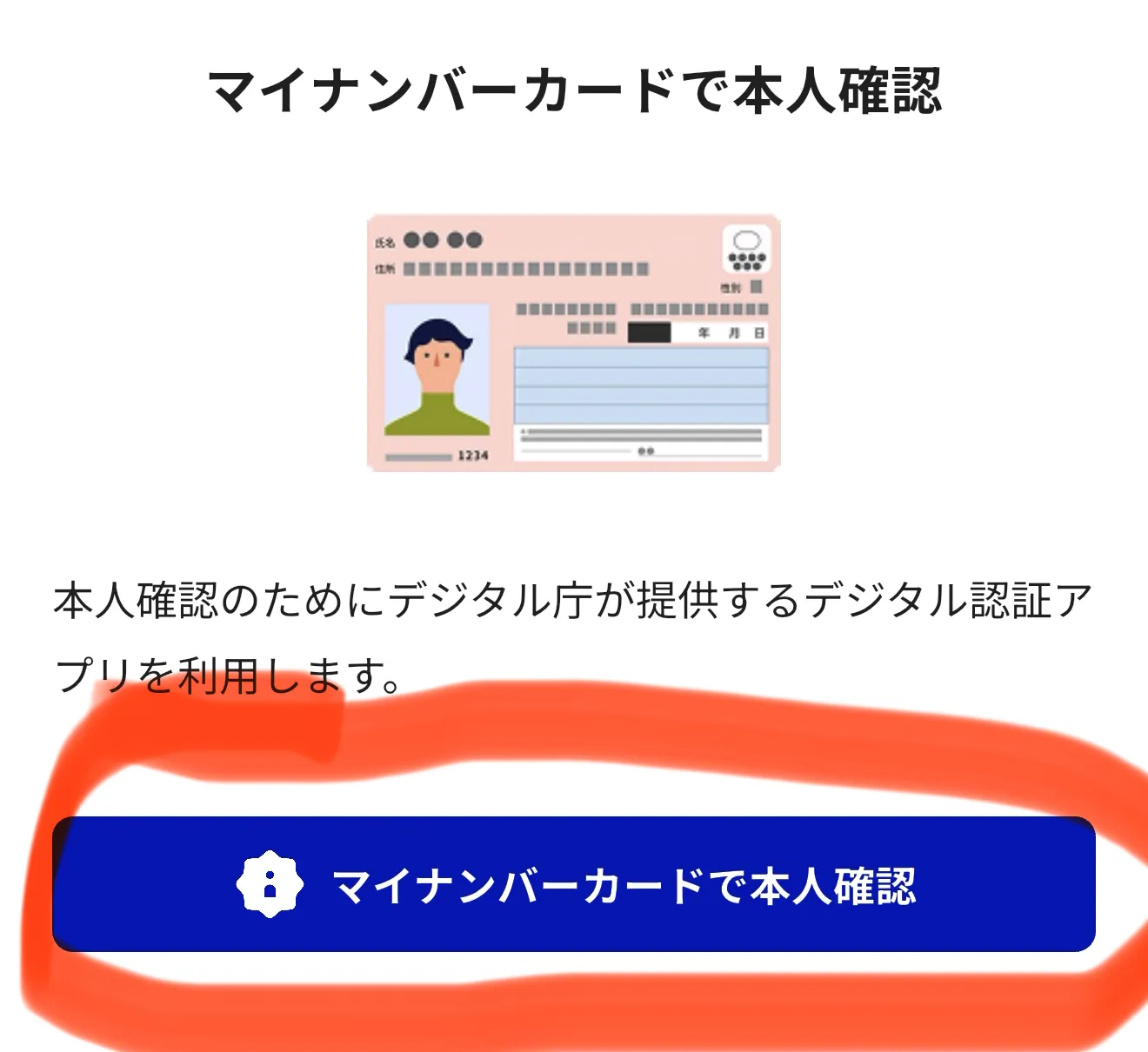
Select "Identify Verification with My Number Card" (マイナンバーカードによる本人確認).
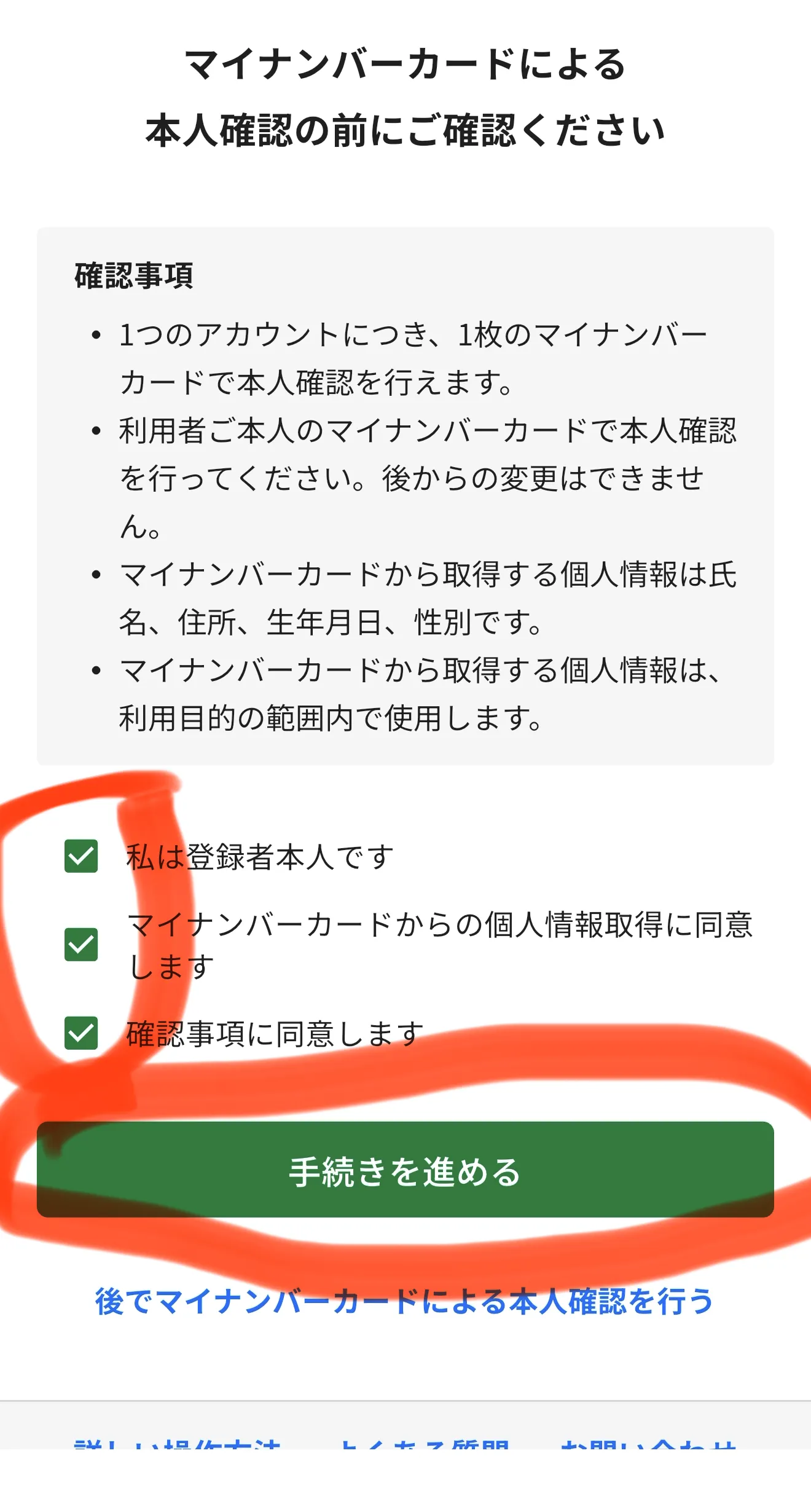
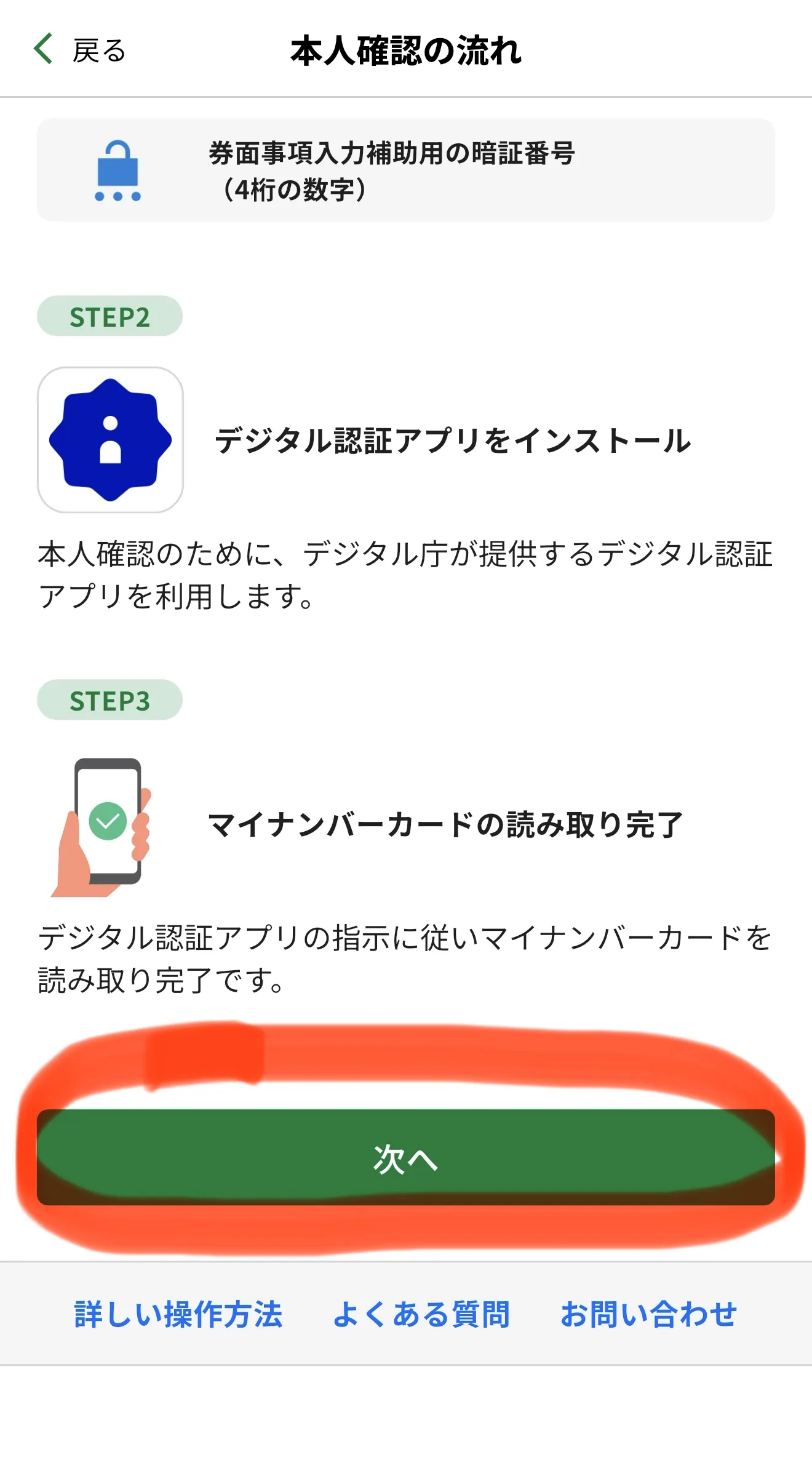
Check the three confirmation boxes and tap "Proceed with Procedure" (手続きを進める) → "Next".
Choose "Verify with My Number" → "Start", and enter your 4-digit PIN (User Authentication Certificate).
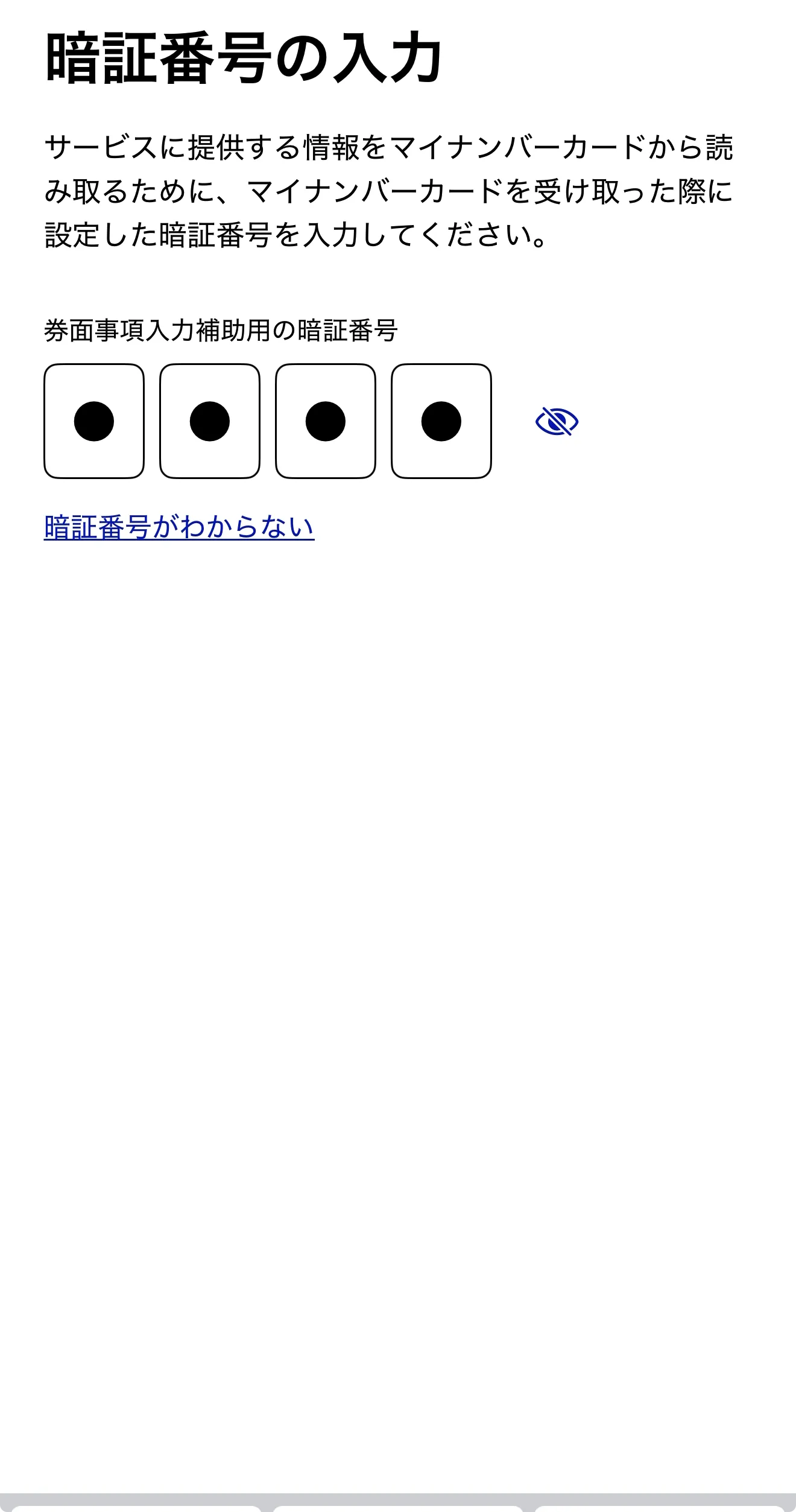
Next, enter your PIN for card information input assistance (券面事項入力補助用), tap "Start Reading Card", and scan your My Number Card again.
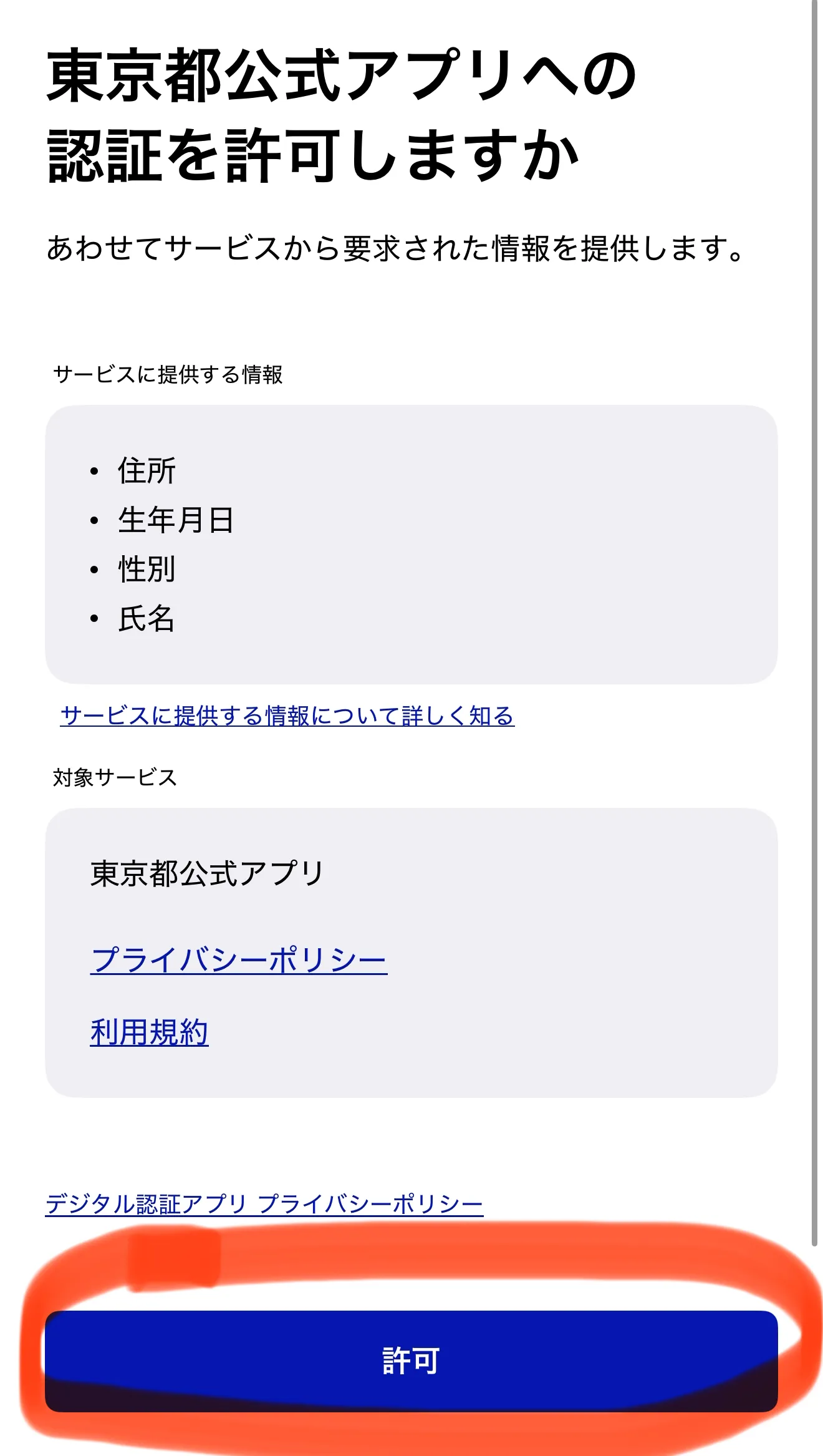
When asked for permission to authenticate, tap "Allow" (許可).
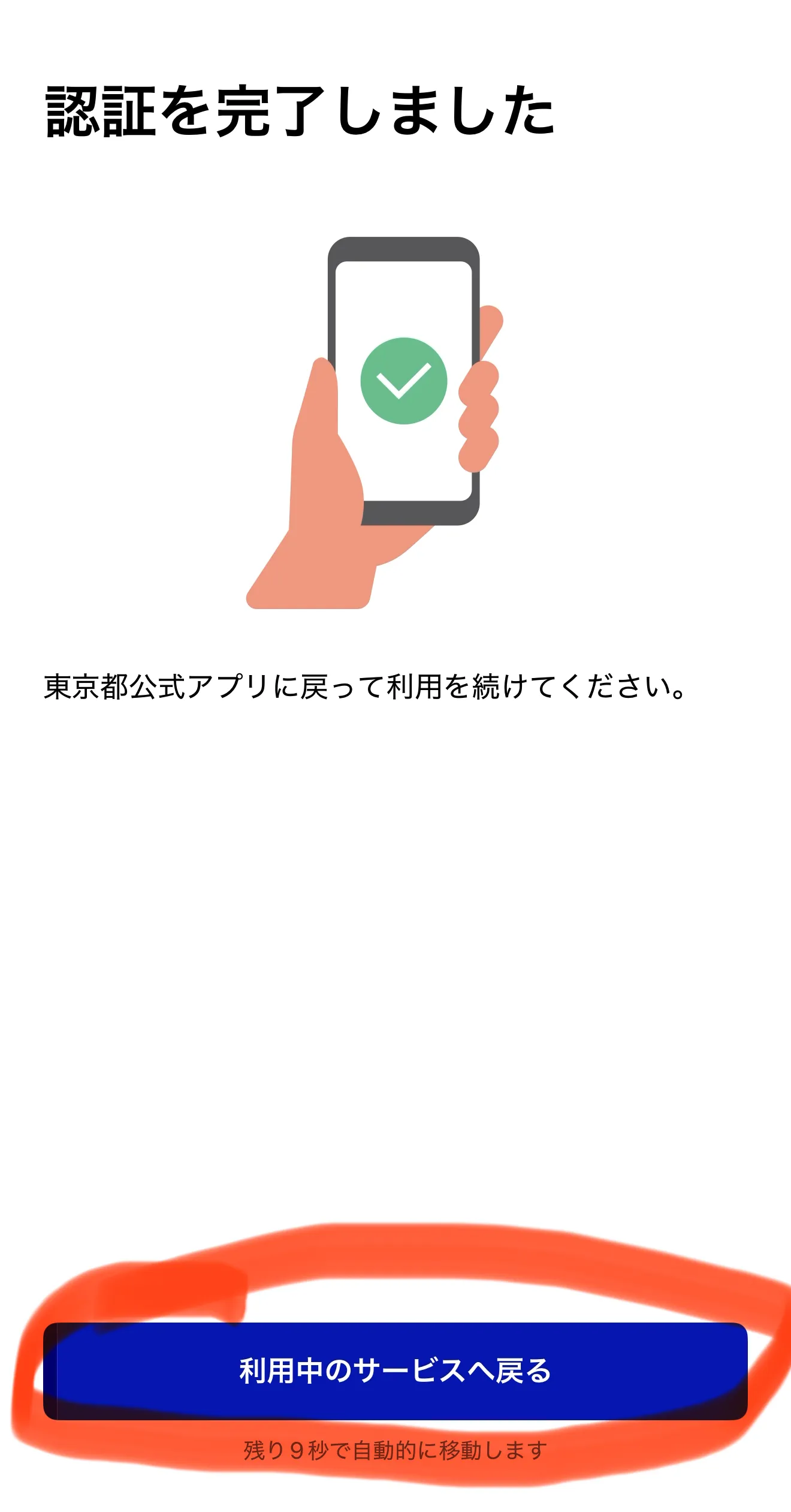
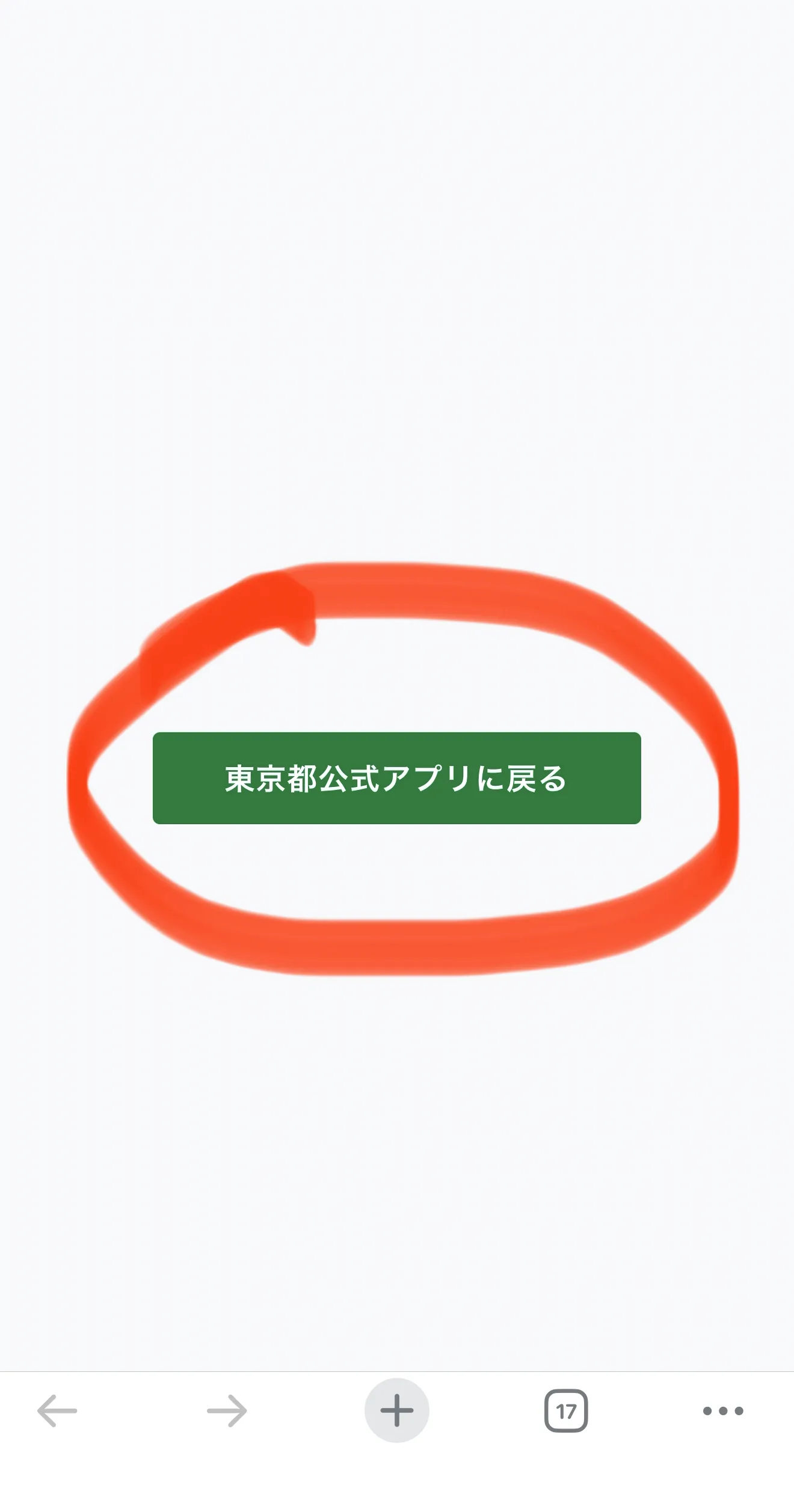
Once "Authentication Complete" appears, tap "Return to Service" → "Go to Home".
You have now completed all necessary verification steps.
Step 4: Apply for Tokyo Points
This is the most important step; if you skip this, you won't receive your $70 (11,000 yen) worth of points.
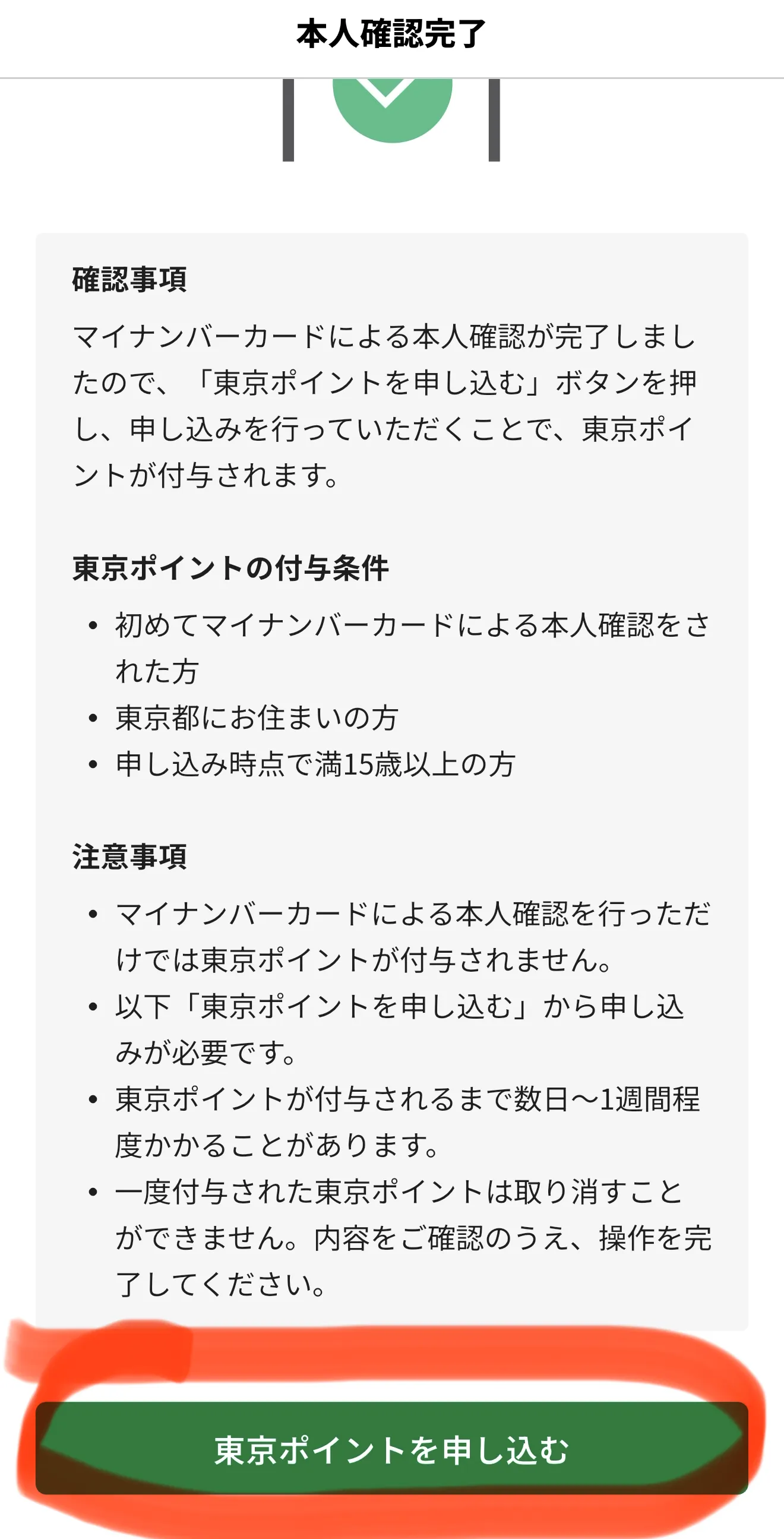
Open the Tokyo App and select "Apply for Tokyo Points" (東京ポイントを申し込む).
Scroll to the bottom of the next screen and tap "Apply for Tokyo Points" again.
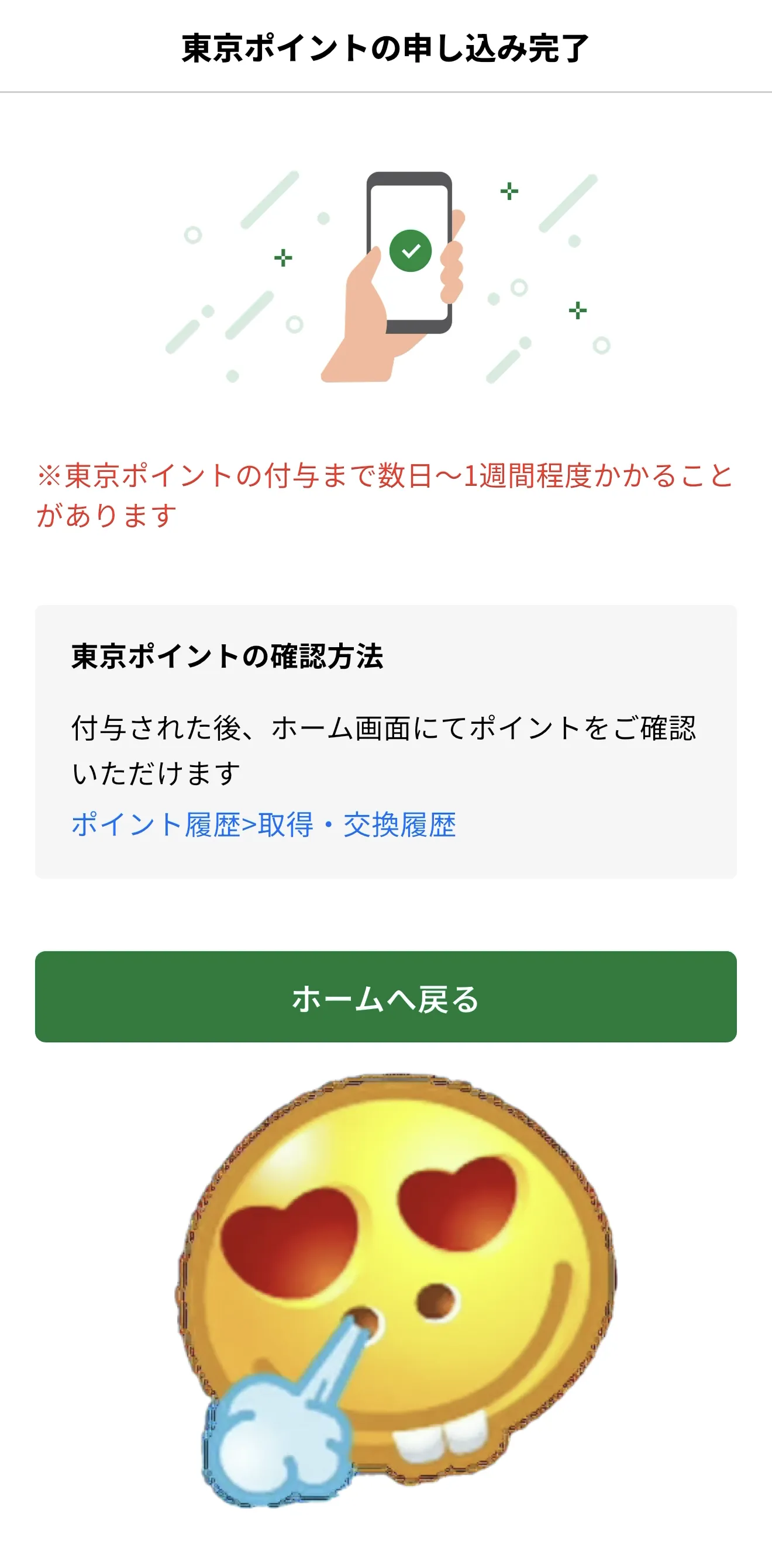
If you are eligible, the application will be completed. Points are usually added within a few days to a week. In my experience, however, I received the points instantly without any waiting period.
Step 5: Exchange 11,000 Points for Payment Services
Which services can I exchange Tokyo App points for?
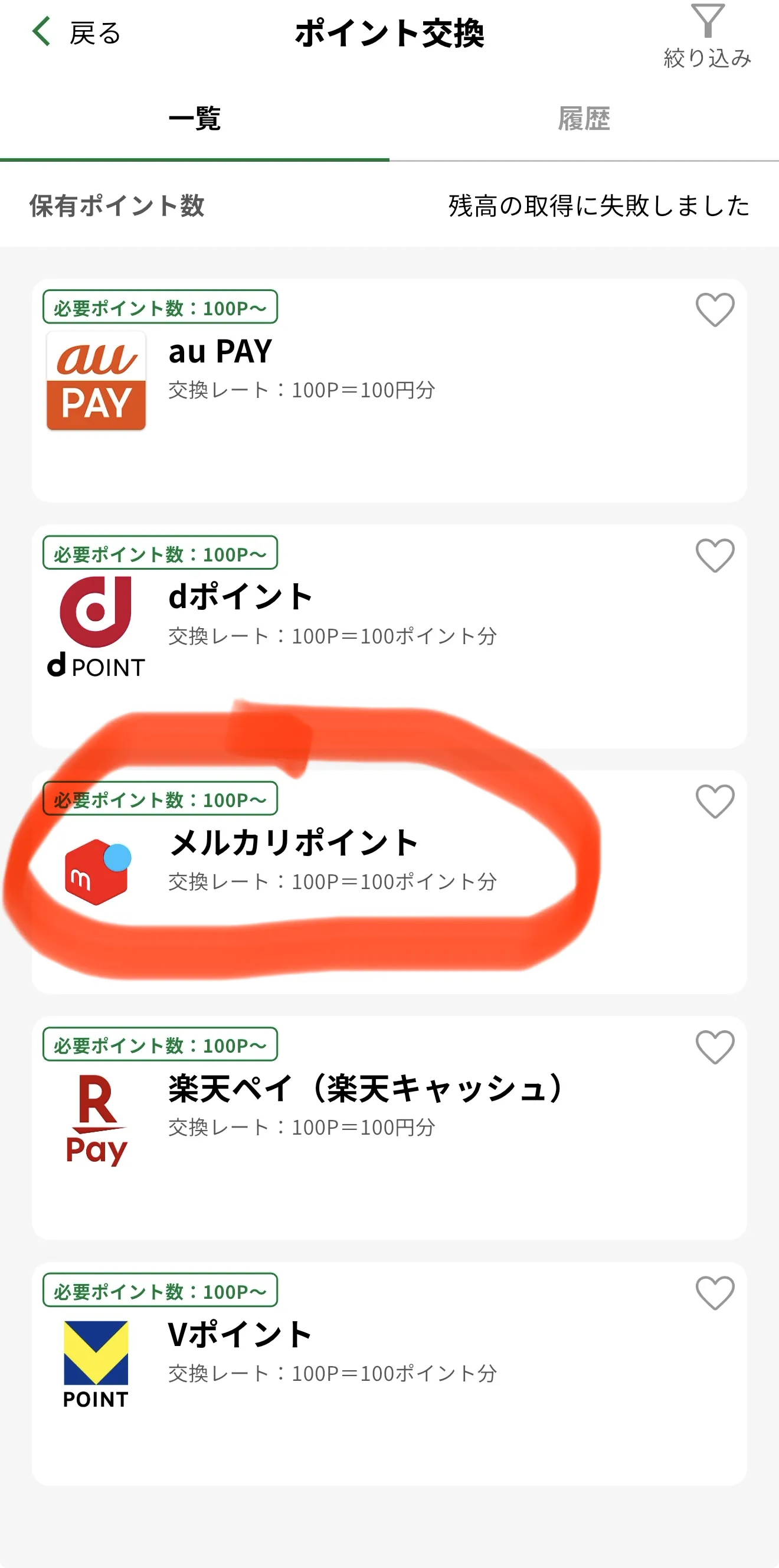
Your 11,000 points can be converted into many cashless payment options accepted at retailers and restaurants:
au PAY: No expiration.
dPoint: 12 months from the last point activity.
Mercari Point: 6 months.
Rakuten Pay: Invalid only if no transactions occur for 10 years.
V Point: 1 year (extended with any point activity).
As of June 2026, Tokyo App does not support PayPay. The list of services may expand in the future.
How to Exchange Tokyo App Points
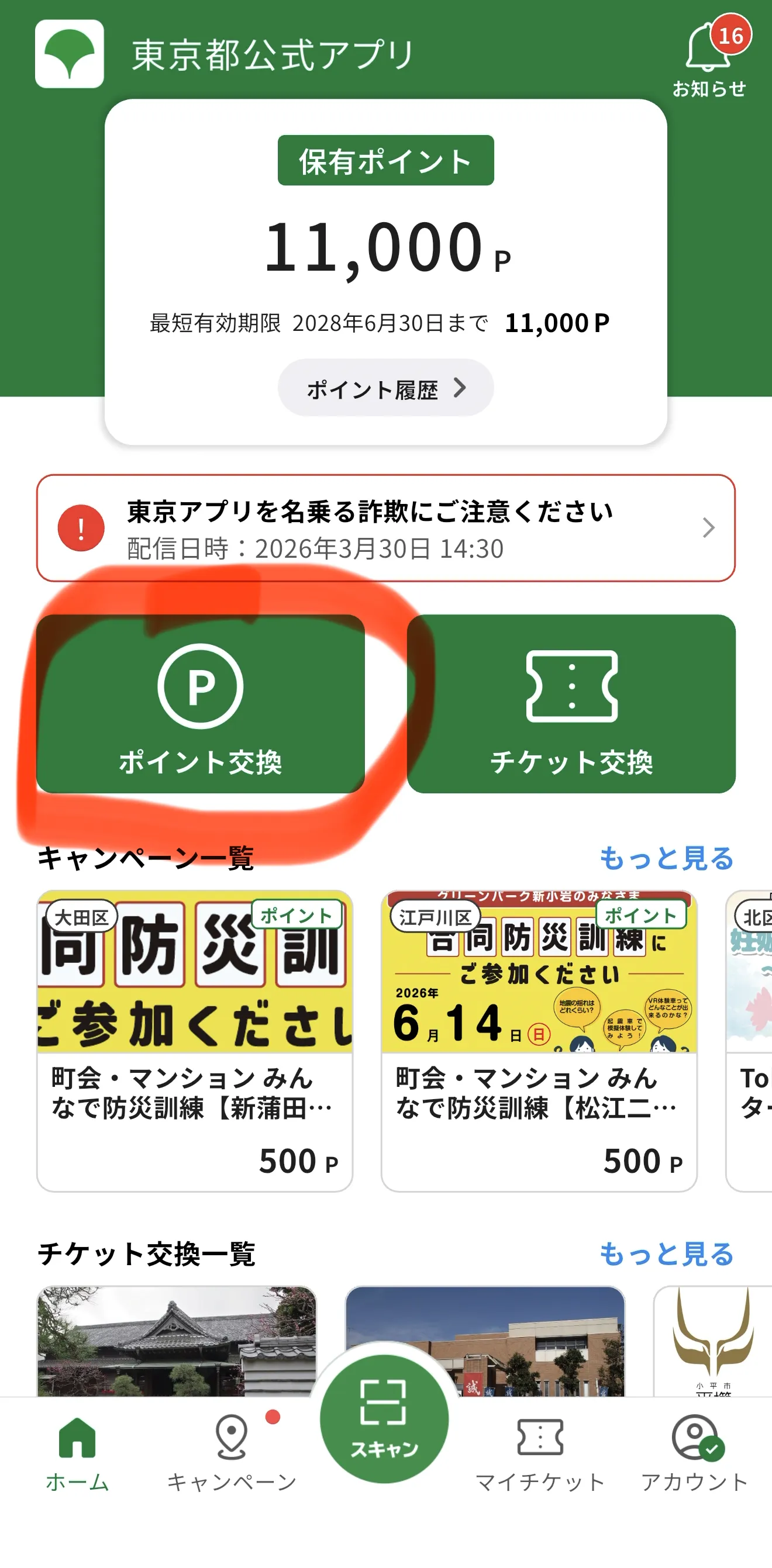
Open Tokyo App → select "Exchange Points" (ポイント交換) → choose the service you want → enter the number of points (in increments of 100) → scroll down and tap "Exchange" (交換する) and follow the instructions for that specific service.
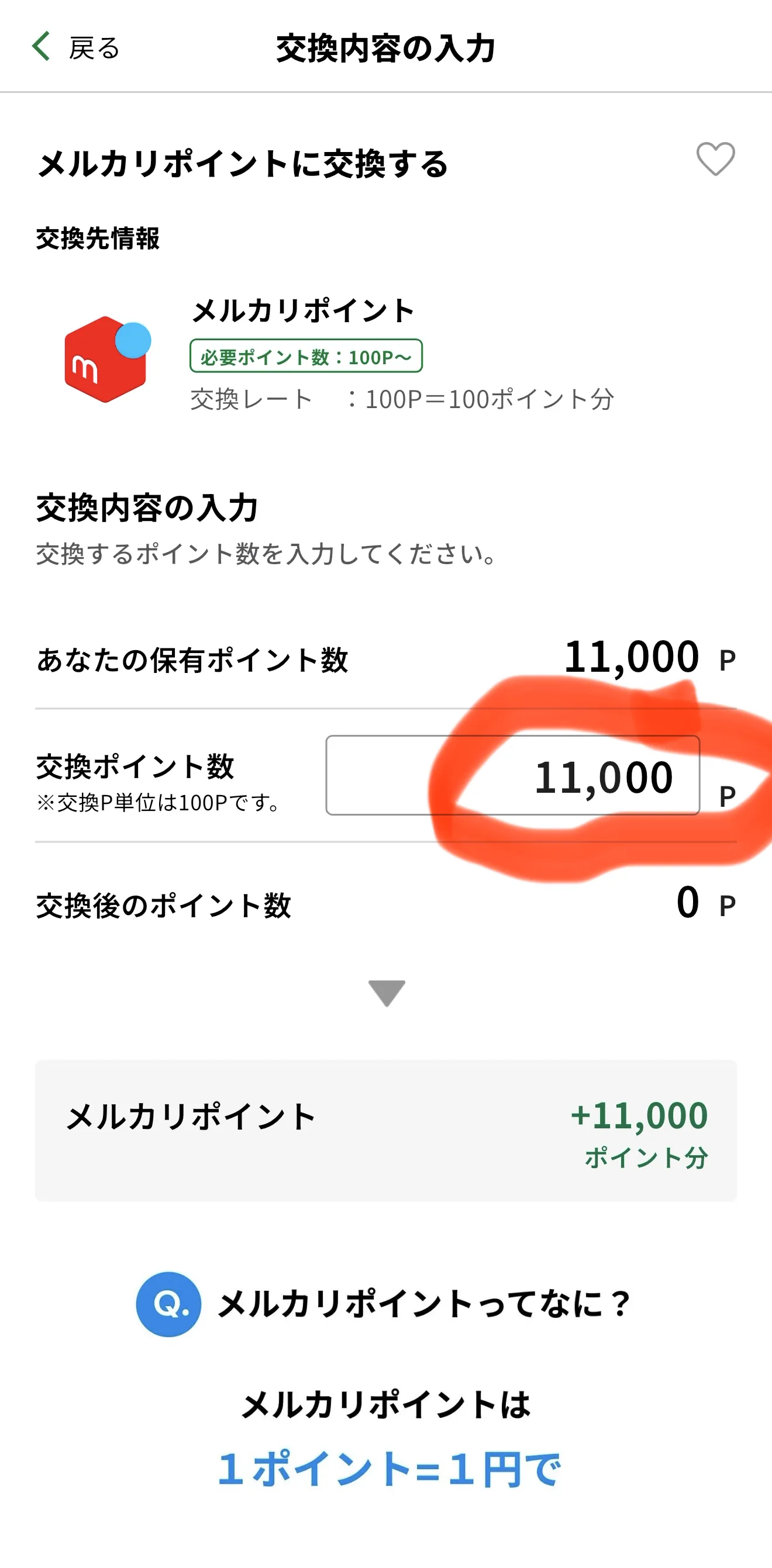
For example, here is how I exchanged 11,000 Tokyo points for Mercari points:
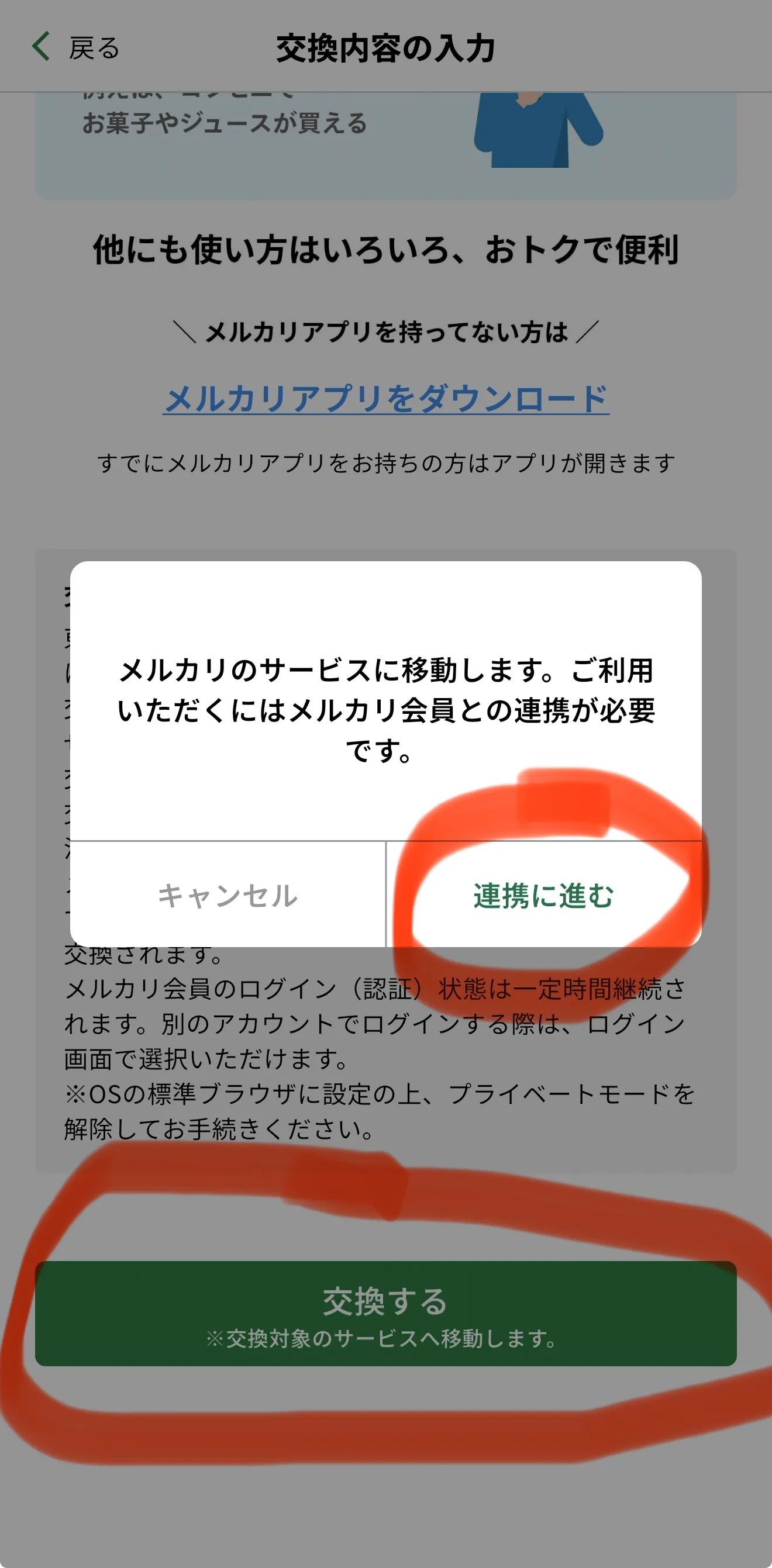
Enter the full 11,000 points into the box, then tap Exchange (交換する) and Proceed to Link (連携に進む) to go to the next screen.
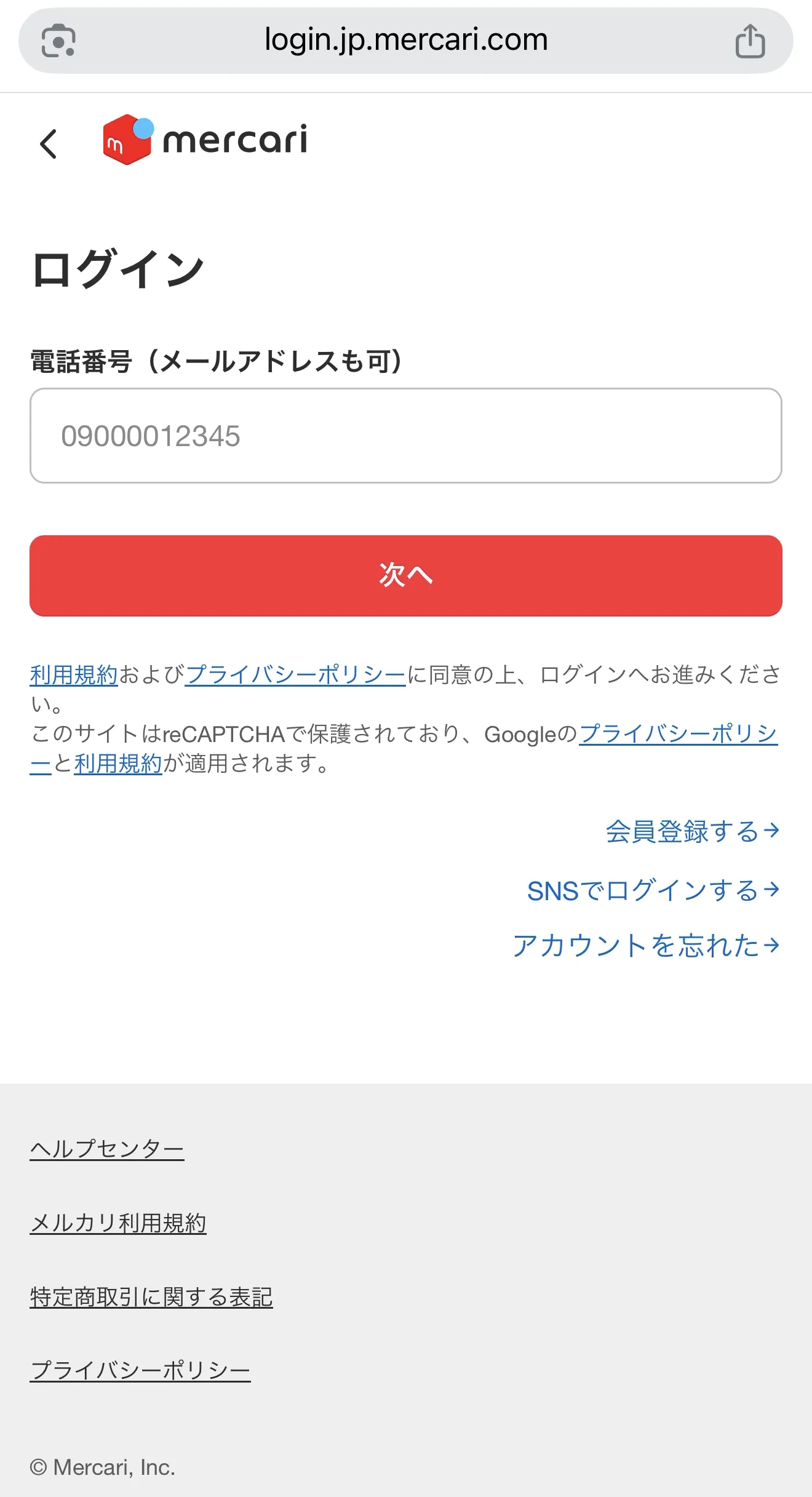
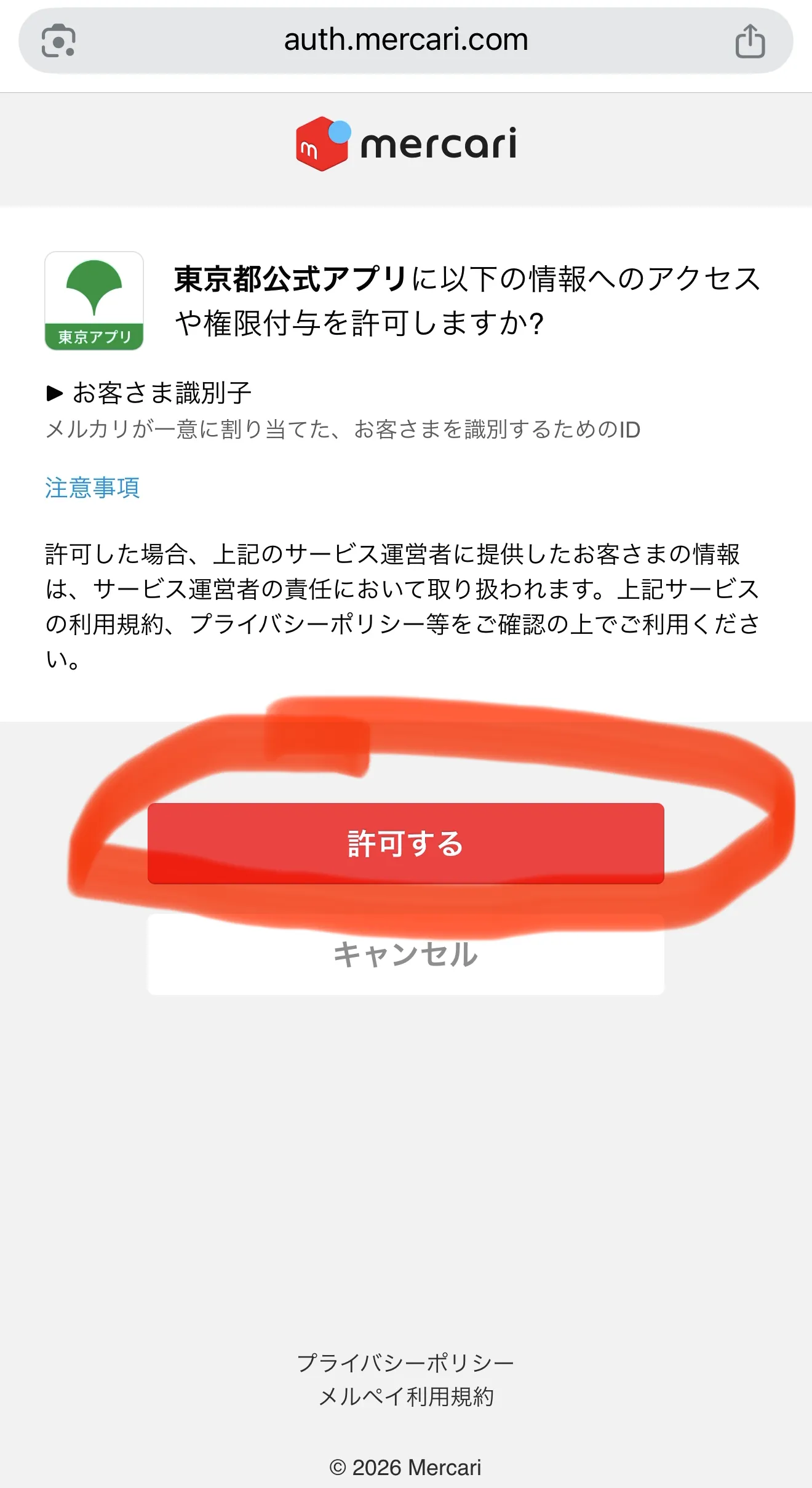
On the following screen, simply log in to your Mercari account and select Allow (許可する).
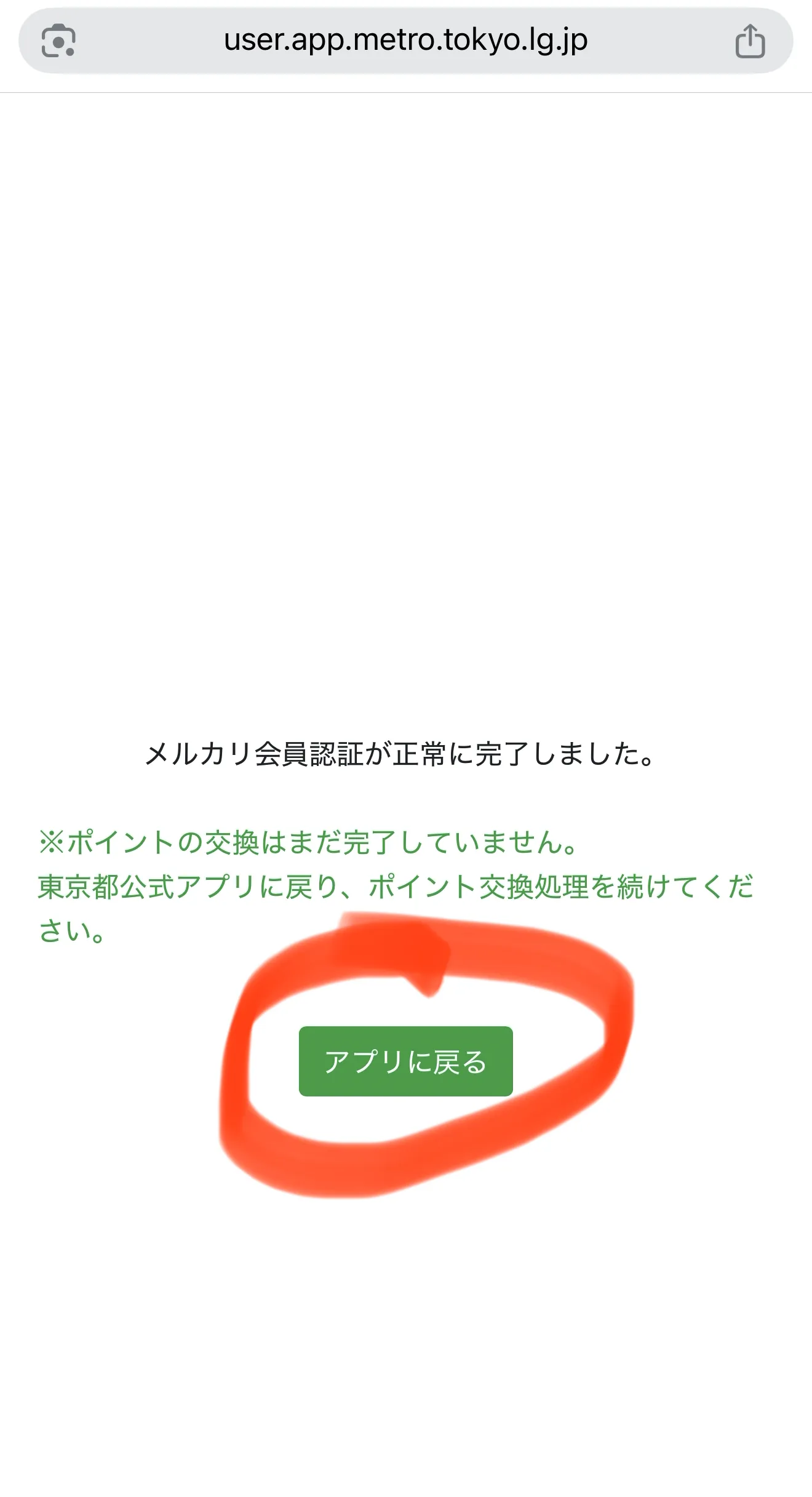
Immediately after, you will see 11,000 points added to your Mercari app, ready for use! 😍
Pros and Cons of Using Tokyo App
Pros: Perfect for Daily Expenses
The $70 (11,000 yen) reward can be used for groceries, dining out, and other living expenses, effectively reducing your monthly household burden.
Cons: Usage and Expiration Restrictions
Tokyo Points cannot be withdrawn as cash and can only be used at designated stores or services. Additionally, points have a 2-year expiration date from the time they are received; if not used, they will be lost, so make sure to spend them early.
Conclusion
The Tokyo App 11,000-point campaign is a fantastic opportunity for current Tokyo residents. The registration process is straightforward, taking only about 10–15 minutes if you have your My Number Card and PINs ready. For a reward of $70 (11,000 yen), this is definitely a procedure worth completing.
Hello everyone. I'm an IT engineer working in Japan. I created this blog to share about life and experiences during my study and work journey. I hope this article will be helpful to you.